發表於 工具

eclipse內import github專案

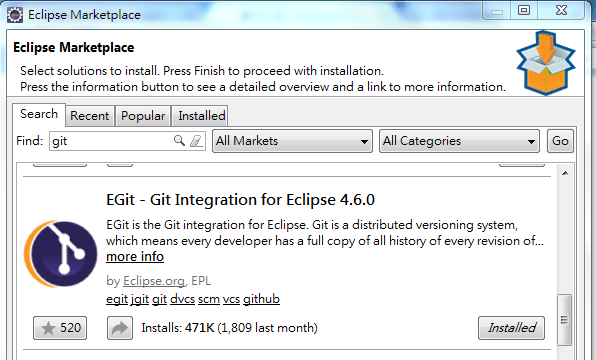
1.下載套件EGit

Eclipse => Eclipse Marketplace => git => EGit => Install

1.PNG

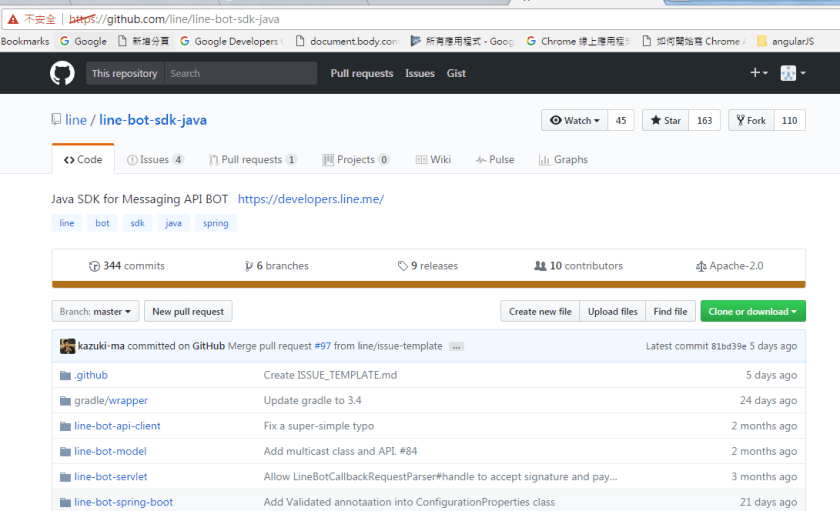
2.找到欲下載的github

Ex.https://github.com/line/line-bot-sdk-java

3

3.設定Import github專案之路徑

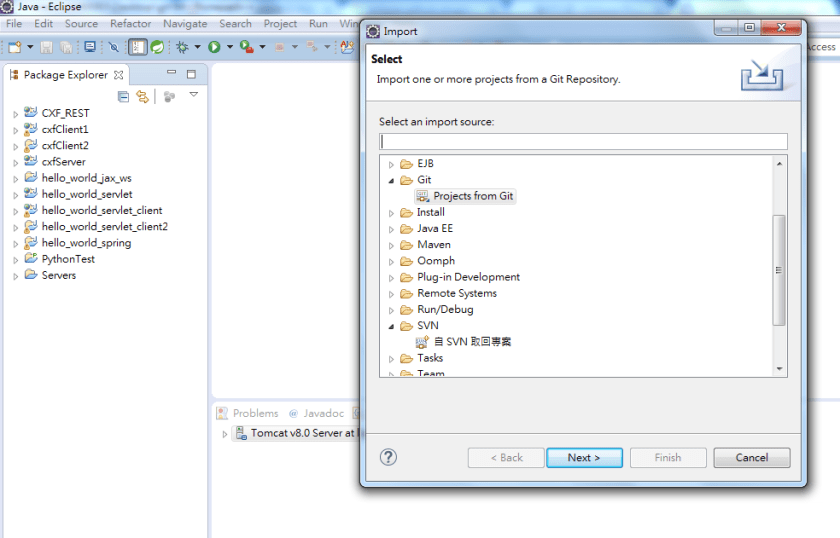
1) Eclipse => File => Import => Git => 選取"Projects from Git" => Click “Next" Button

2

2) 選"Clone URI" => “Next" Button

2-2.PNG

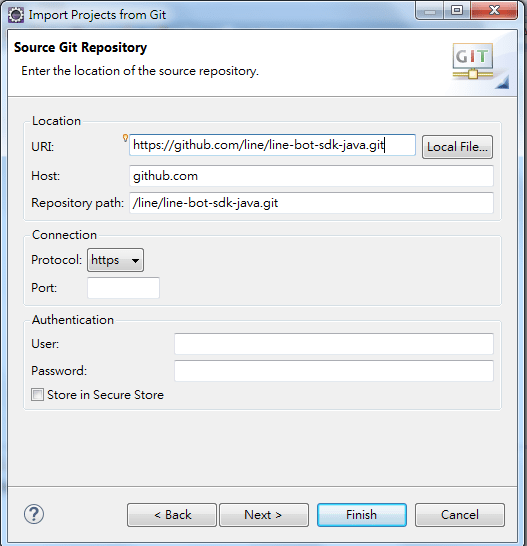
3) 輸入github路徑,Ex.https://github.com/line/line-bot-sdk-java.git

其它欄位均自動帶出 => Click “Next" Button

4.PNG

4.Import專案

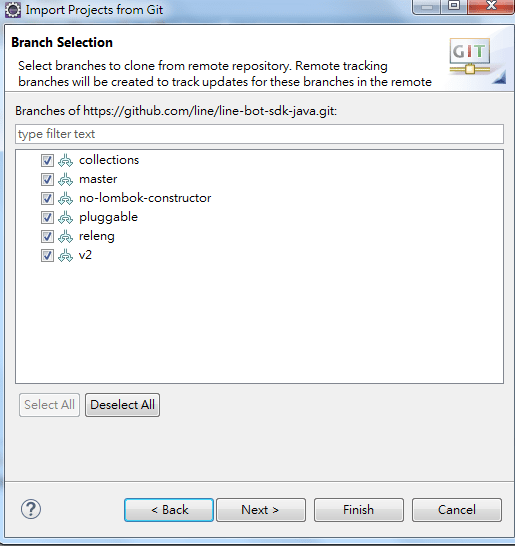
1) 選取全部 => Click “Next" Button

5.PNG

2) Click “Next" Button

6.PNG

3) 選取"Import as general project" (請依專案狀況選取) => Click “Next" Button

7.PNG

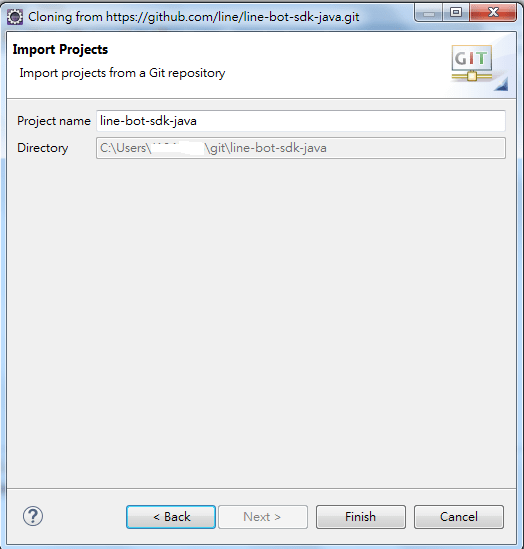
4) Click “Next" Button

8.PNG

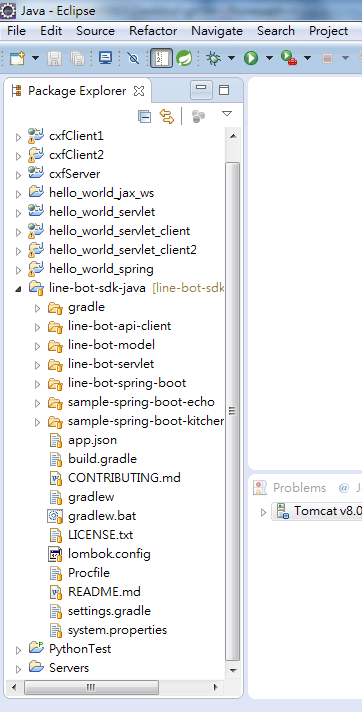
5) Import結果如下

9.PNG

發表於 工具

eclipse新增svn : 使用subclipse

在eclipse上使用install New Software及 Eclipse Marketplace因出現PKIX path building failed,

(subclipse install路徑 : https://dl.bintray.com/subclipse/releases/subclipse/latest/)

就想說用手動安裝subclipse,步驟如下 :

1.下載 subclipse plugin : 我是用4.2.2

https://dl.bintray.com/subclipse/releases/subclipse/subclipse-4.2.2.zip

2.解壓縮zip檔,分別將路徑下的plugins及features複製至eclipse相對應的路徑下

3.重新啟動eclipse

4.設定SVN Client

Eclipse => Window => Preferences => Team => SVN

=> 彈出一個大大的對話框,報一個Failed to load JavaHL Library.錯誤

=> 按OK Button

=> 於SVN介面: Client只看到"JavaHL (JNI) Not available",未看到SVNKit,故需要再安裝SVNKit

1) 下載plugin檔 : 我使用1.8.1版本 (https://svnkit.com/download.php)

2) 解壓縮zip檔,分別將路徑下的plugins及features複製至eclipse相對應的路徑下

3) 重新啟動eclipse

5.再次設定SVN Client

Eclipse => Window => Preferences => Team => SVN

=> 彈出一個大大的對話框,報一個Failed to load JavaHL Library.錯誤

=> 按確定 => SVN介面: Client選取"SVNKit (Pure Java)…"選項

=> 按OK Button

6.設定Perspective為 “瀏覽SVN檔案庫"

Eclipse => Window => Perspective => Open Perspective => Other

=> 選取 “瀏覽SVN檔案庫" => OK Button

7.設定SVN位置

於"SVN檔案庫" click 右鍵 => 新增 => 檔案庫位置

=> Url請輸入SVN位置,Ex.https://xxx.xx.xx.xx:8443/svn/grace_svn/

即可在Eclipse做SVN版本控管了。


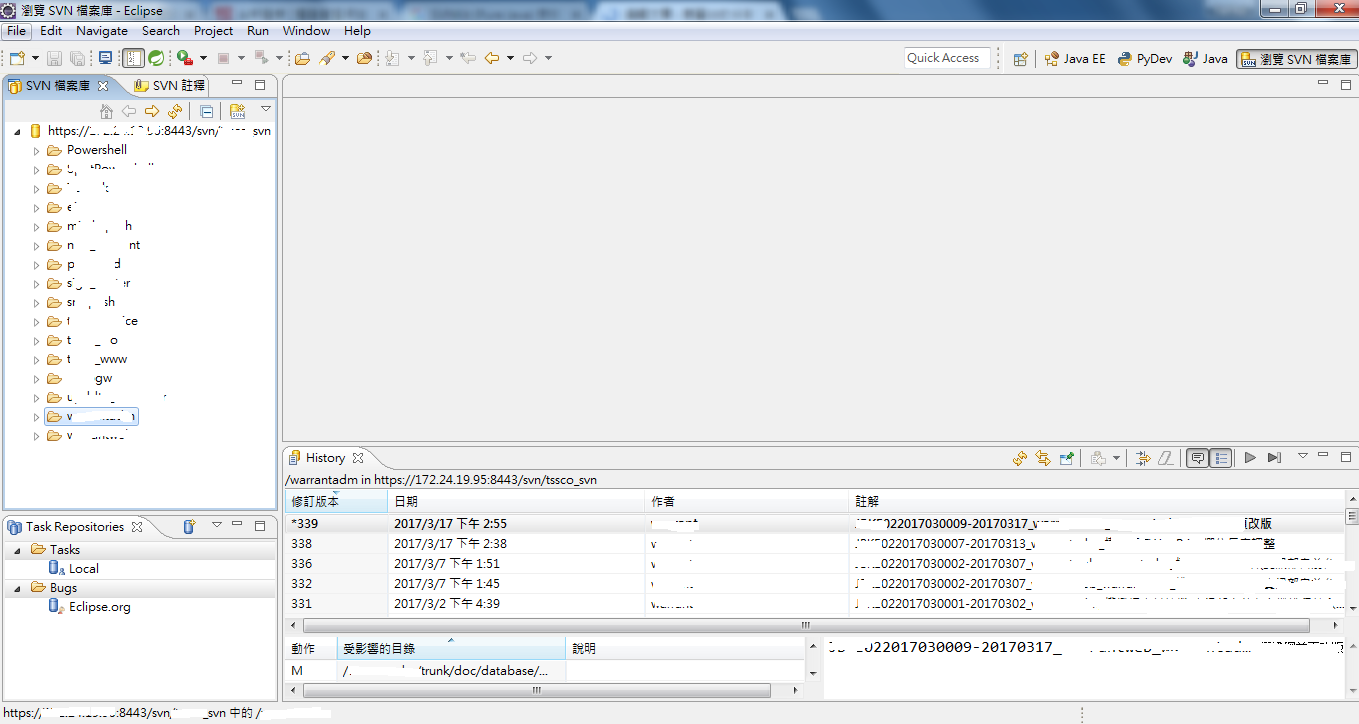
呈現畫面如下,請參考!

發表於 程式分享

Hibernate 5.2 version -> org.hibernate.Query class and methods deprecate?

原本使用org.hibernate.Query於hibernate升級至5.2版出現The type Query<R> is deprecated,
許多method也出現deprecate訊息,
原本

import org.hibernate.Query;
...
Query query = session.createQuery(" FROM WABlog c Order By blogId desc");
query.setMaxResults(iMaxRecord);
query.setFirstResult(0);
List<WABlog> waBlogList = query.list();

需調整為

import javax.persistence.TypedQuery;
...
TypedQuery<WABlog> query = session.createQuery(" FROM WABlog c Order By blogId desc");
query.setMaxResults(iMaxRecord);
query.setFirstResult(0);
List<WABlog> waBlogList = query.getResultList();
發表於 程式分享

java restful Demo code with spring + hibernate

github : https://github.com/yahuihuang/java/tree/master/restfulTest

1.create table and stored procedure in mysql database
1) DB/1.cr_table.sql
2) DB/2.cr_SP.sql

2.maven command for pom.xml

3.change config
1) src/sysConfig.xml : modify pwd.deskey value , the value you can edit for your prefer
<entry key="pwd.deskey">XXXXXX</entry>

2) WebContent/WEB-INF/applicationContext_WA.xml
a.change mysql db connection
<property name="jdbcUrl" value="jdbc:mysql://XXX.XX.XX.XX:3306/XXXXXX?characterEncoding=utf-8&amp;autoReconnect=true" />
b.change mysql db user and password,
the password should be encrypt, you can edit WebContent/DesTest.jsp sIn variable,
and get output string , then put in password property.
<bean id="dataSourceProperties" class="info.codingfun.restful.util.PropertiesEncryptFactoryBean">
<property name="properties">
<props>
<prop key="user">XXXXXXX</prop>
<prop key="password">XXXXXXX</prop>
</props>
</property>
</bean>

4.insert some data in mysql table : WABlog

5.test
1) http://127.0.0.1:8080/restfulTest/services/blogservice/getpost/1
http://127.0.0.1:8080/restfulTest/services/blogservice/getpost/1.xml
@GET Request: None
Content-Type: application/x-www-form-urlencoded
accept: application/json

2) http://127.0.0.1:8080/restfulTest/services/blogservice/getallpost
http://127.0.0.1:8080/restfulTest/services/blogservice/getallpost.xml
@GET Request: None
Content-Type: application/x-www-form-urlencoded
accept: application/json

3) http://127.0.0.1:8080/restfulTest/services/blogservice/addpost
@POST Request:
<?xml version="1.0″ encoding="UTF-8″ standalone="yes"?>
<BlogPostType xmlns="http://codingfun.info/restful/xsd">
<title>title-1</title>
<slogan>slogan-1</slogan>
<description>description-1</description>
<status>1</status>
<modifyEmp>grace</modifyEmp>
</BlogPostType>
Content-Type: application/xml
accept: application/x-www-form-urlencoded
4) http://localhost:8080/restfulTest/services/blogservice/updatepost
@PUT Request:
{
“blogId": 1,
“title": “title-2″,
“slogan": “slogan-2″,
“description": “description-2″,
“status": 1,
“modifyTime": “2017-03-06T09:05:34.000+08:00″,
“modifyEmp": “grace"
}
Content-Type: application/json
accept: application/x-www-form-urlencoded
5) http://localhost:8080/restfulTest/services/blogservice/deletepost
@DELETE Request:
{
“blogId": 1
}
Content-Type: application/json
accept: application/x-www-form-urlencoded