1.於Jupyter notebook執行以下程式碼,圖檔出來的中文字無法顯示
%pylab inline
import matplotlib.pyplot as plt

plt.rcParams['font.sans-serif'] = ['SimHei']
x_labels = ['小', '中', '大']
x = range(len(x_labels))
y = [-3, 0, 3]

plt.scatter(x, y)
plt.xticks(x,x_labels)
plt.tick_params(axis='x', which='major', labelsize=30)

plt.show()
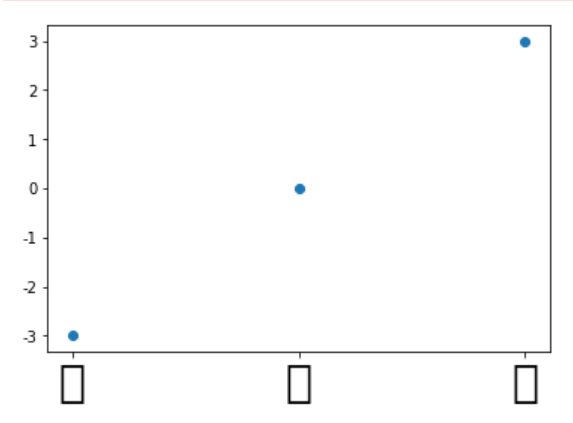
2.解法
1)到google下載字體
路徑: https://www.google.com/get/noto/
Ex.字型檔 Noto Serif CJK TC
2)將字體放到matplotlib的字體套件資料夾
其路徑可在Jupyter notebook執行以下指令查找到matplotlib的路徑
  import matplotlib
  print(matplotlib.__file__)

再找到其路徑下的matplotlib\mpl-data\fonts\ttf 將1)下載的字體放入

3)清除快取檔案
刪除 C:\Users[登入PC帳號].matplotlib\fontList.json

4)Juypter notebook重新import matplotlib
import matplotlib.pyplot as plt
5)於Jupyter notebook調整程式碼
%pylab inline
import matplotlib.pyplot as plt

#換成新下載的字體
plt.rcParams['font.sans-serif'] = ['Noto Serif CJK TC']
x_labels = ['小', '中', '大']
x = range(len(x_labels))
y = [-3, 0, 3]

plt.scatter(x, y)
plt.xticks(x,x_labels)
plt.tick_params(axis='x', which='major', labelsize=30)

plt.show()
6) 結果畫面
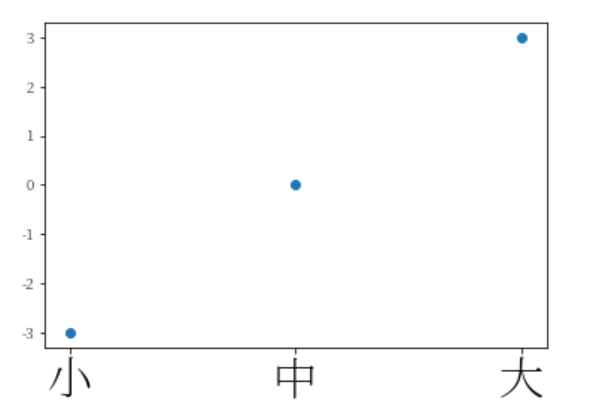
參考網址: 如何在Win 10解決matplotlib中文顯示的問題

 葛麗絲的分享世界