發表於 工具

chrome查到網頁request的流量的方式

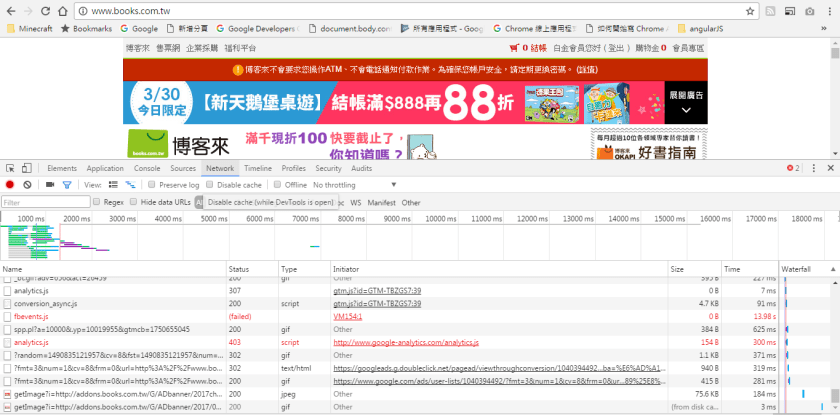
1.於chrome => click “F12″ Button,顯示如下頁面
連至欲觀察流量的頁面,
於下方即可看到每個request的url、status(http code)、size(若為cache會顯示from disk cache)

1.PNG
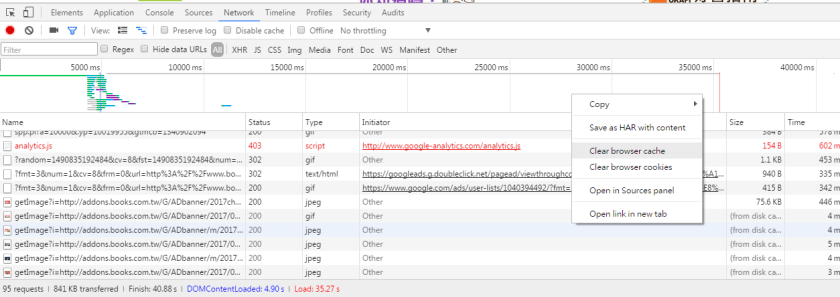
2.有相關篩選可以選擇,於下方內click right mouse,
有清除cache、cookies選項、將檔案開啟在source panel或新頁面,
其中Save as HAR with content是將此分析結果儲存為har檔,
har檔為JSon格式故可以用開啟json的工具觀察,
網路上已有相關的讀取程式。

2.png

發表於 工具

eclipse內import github專案

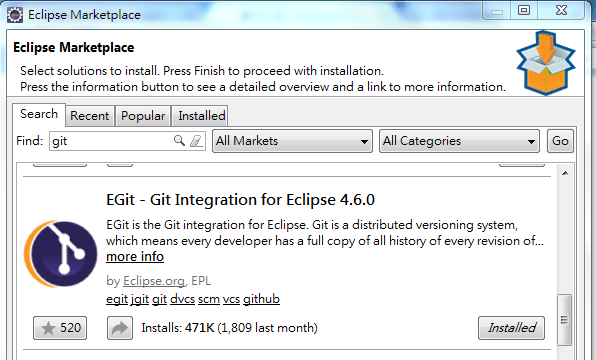
1.下載套件EGit

Eclipse => Eclipse Marketplace => git => EGit => Install

1.PNG

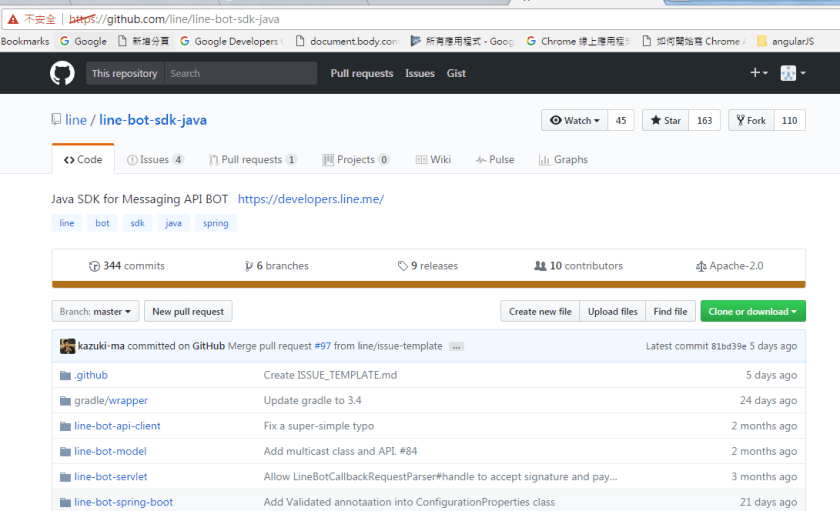
2.找到欲下載的github

Ex.https://github.com/line/line-bot-sdk-java

3

3.設定Import github專案之路徑

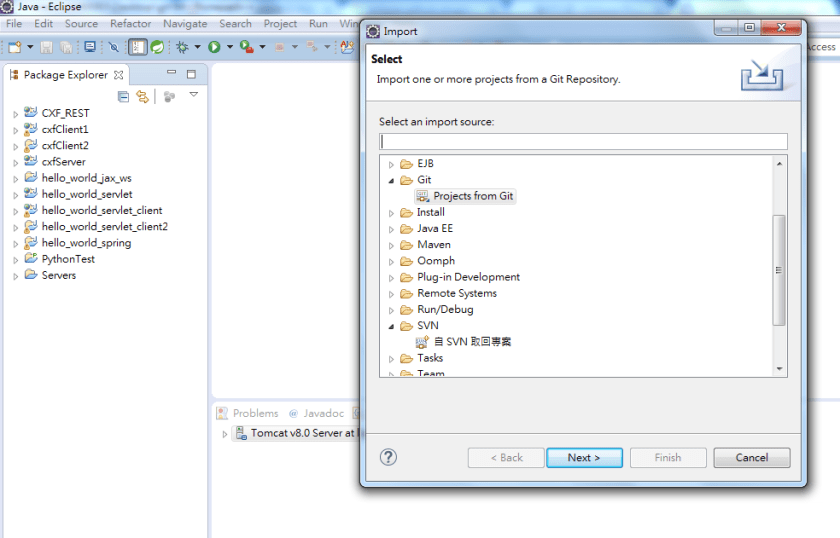
1) Eclipse => File => Import => Git => 選取"Projects from Git" => Click “Next" Button

2

2) 選"Clone URI" => “Next" Button

2-2.PNG

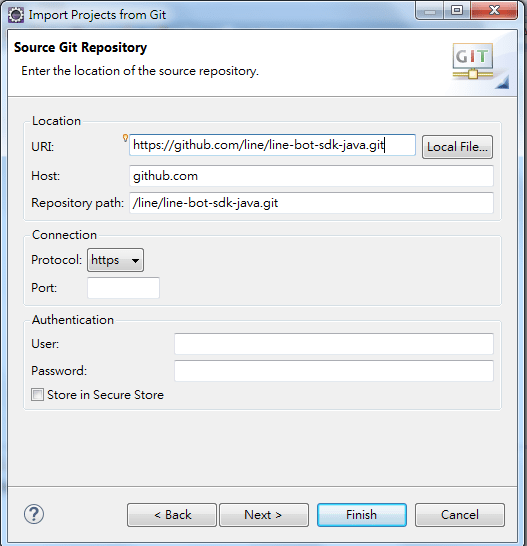
3) 輸入github路徑,Ex.https://github.com/line/line-bot-sdk-java.git

其它欄位均自動帶出 => Click “Next" Button

4.PNG

4.Import專案

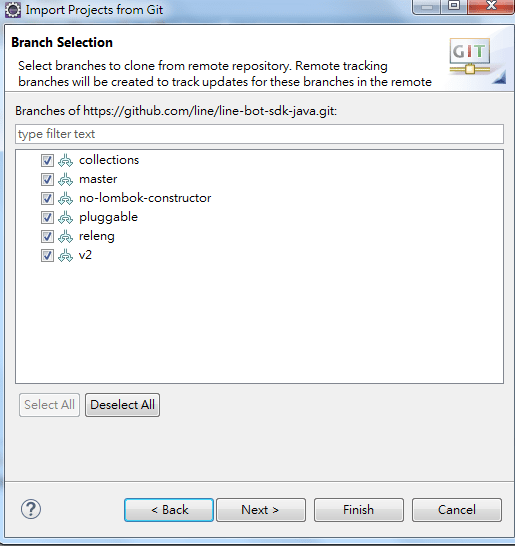
1) 選取全部 => Click “Next" Button

5.PNG

2) Click “Next" Button

6.PNG

3) 選取"Import as general project" (請依專案狀況選取) => Click “Next" Button

7.PNG

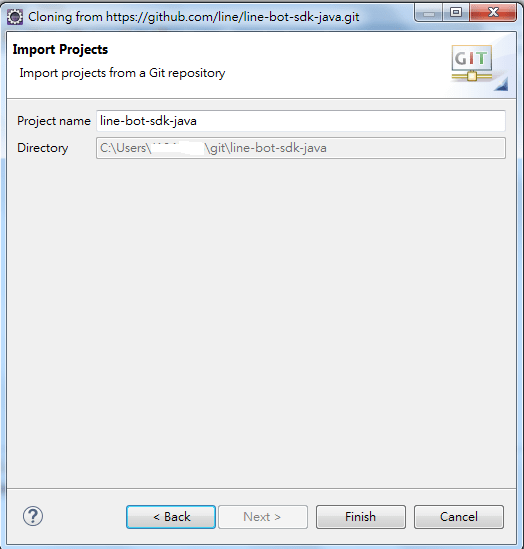
4) Click “Next" Button

8.PNG

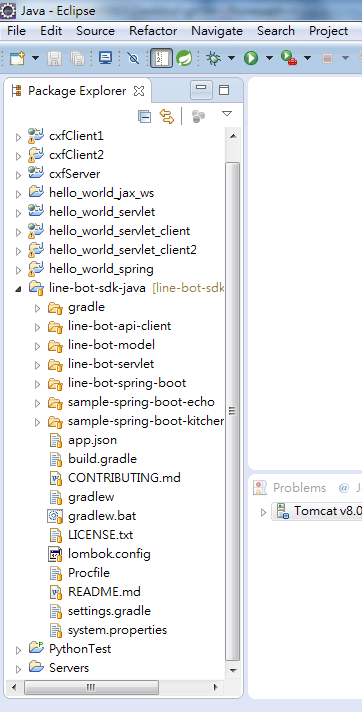
5) Import結果如下

9.PNG

發表於 工具

eclipse新增svn : 使用subclipse

在eclipse上使用install New Software及 Eclipse Marketplace因出現PKIX path building failed,

(subclipse install路徑 : https://dl.bintray.com/subclipse/releases/subclipse/latest/)

就想說用手動安裝subclipse,步驟如下 :

1.下載 subclipse plugin : 我是用4.2.2

https://dl.bintray.com/subclipse/releases/subclipse/subclipse-4.2.2.zip

2.解壓縮zip檔,分別將路徑下的plugins及features複製至eclipse相對應的路徑下

3.重新啟動eclipse

4.設定SVN Client

Eclipse => Window => Preferences => Team => SVN

=> 彈出一個大大的對話框,報一個Failed to load JavaHL Library.錯誤

=> 按OK Button

=> 於SVN介面: Client只看到"JavaHL (JNI) Not available",未看到SVNKit,故需要再安裝SVNKit

1) 下載plugin檔 : 我使用1.8.1版本 (https://svnkit.com/download.php)

2) 解壓縮zip檔,分別將路徑下的plugins及features複製至eclipse相對應的路徑下

3) 重新啟動eclipse

5.再次設定SVN Client

Eclipse => Window => Preferences => Team => SVN

=> 彈出一個大大的對話框,報一個Failed to load JavaHL Library.錯誤

=> 按確定 => SVN介面: Client選取"SVNKit (Pure Java)…"選項

=> 按OK Button

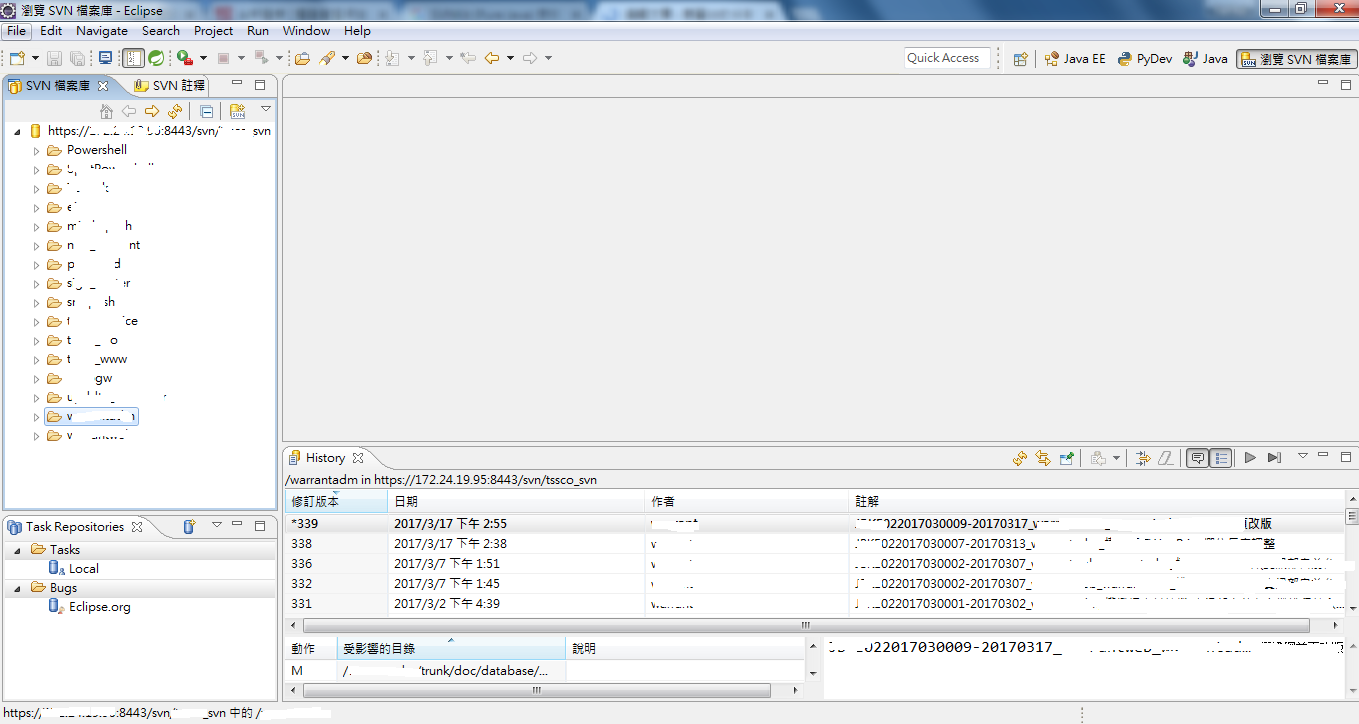
6.設定Perspective為 “瀏覽SVN檔案庫"

Eclipse => Window => Perspective => Open Perspective => Other

=> 選取 “瀏覽SVN檔案庫" => OK Button

7.設定SVN位置

於"SVN檔案庫" click 右鍵 => 新增 => 檔案庫位置

=> Url請輸入SVN位置,Ex.https://xxx.xx.xx.xx:8443/svn/grace_svn/

即可在Eclipse做SVN版本控管了。


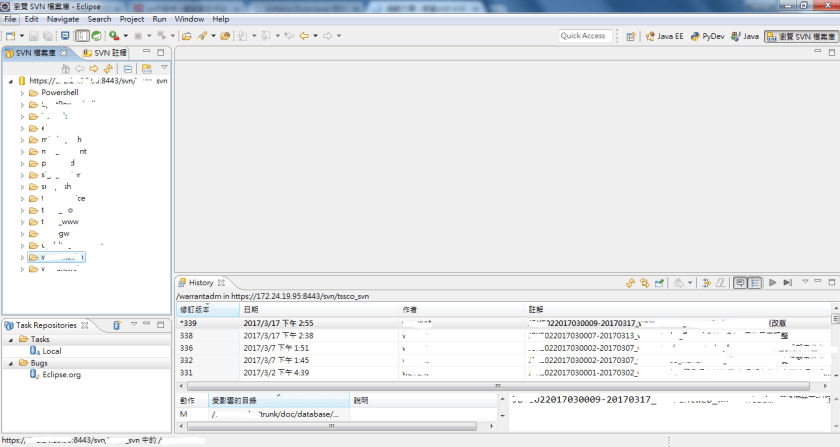
呈現畫面如下,請參考!
發表於 工具

git指令-使用github

申請好了https://github.com/帳號,

也建立了repository : nodejs,要如何將新編寫的程式檔放到github,

一開始執行

git clone https://github.com/%5Bgithub帳號%5D/nodejs.git

但出現錯誤訊息

[fatal: unable to access 'https://github.com/[github帳號]/nodejs.git': SSL certificate problem: self signed certificate in certificate chain].

後來找到可以加上-c http.sslVerify=false以略過ssl檢核,

指令如下

1.git -c http.sslVerify=false clone https://github.com/[github帳號]/nodejs.git

2.git add diff_file.js

3.git commit -m "Add diff_file"

4.git push -u origin master

5.git remote add origin https://github.com/[github帳號]/nodejs.git

其中master為brach。

發表於 工具

PyDev – Python IDE for Eclipse

安裝及啟用方式說明如下

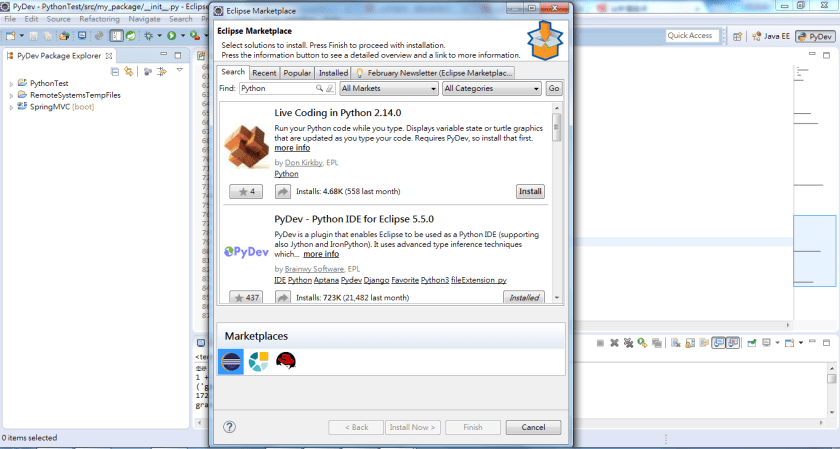
1.Eclipse => Help => Eclipse Marketplace…

1.PNG

2.PyDev安裝後檢查

2.PNG

3.PyDev可新建專案或檔案類型

3.PNG

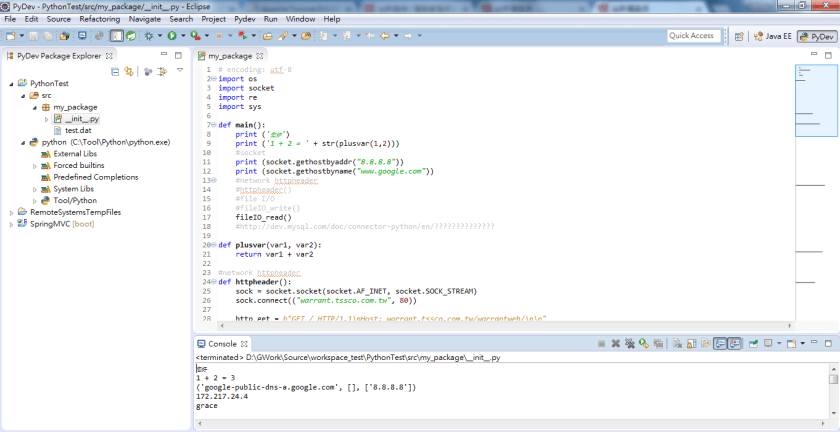
4.執行Python程式及結果

4.PNG

5.PNG

發表於 工具

chrome擴充功能 – Postman : 執行HTTP Protocol方便的工具

chrome擴充功能 – Postman 是 執行HTTP Protocol方便的工具,

於Debug程式時非常好用(以往都要自行寫程式)~

新增此擴充功能之連結 : https://chrome.google.com/webstore/detail/postman/fhbjgbiflinjbdggehcddcbncdddomop?hl=zh-TW

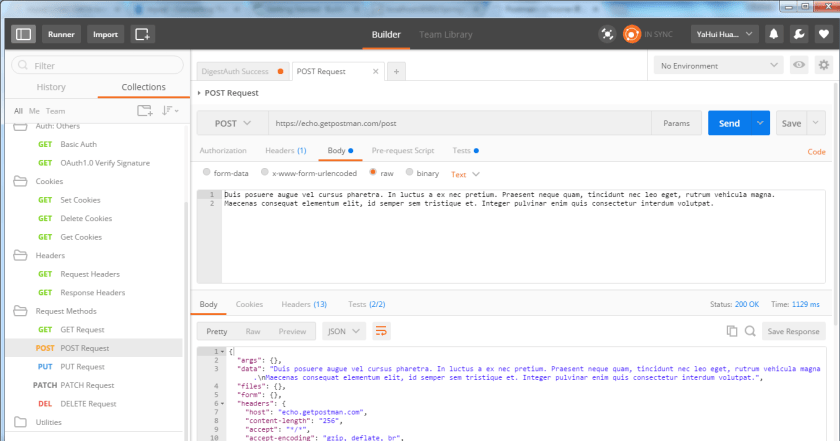
畫面如下:

1

GET範例

2.PNG

POST範例

3.PNG

PUT範例

4.PNG