發表於 程式分享

使用iText套表產生新的pdf檔~一併解決中文字顯示issue

1.先使用Adobe Acrobat Pro DC 產生 Field Properties(Edit PDF => Prepare Form)

1.PNG

2.下載iText7

http://developers.itextpdf.com/itext-7-java

3.程式如下

import com.itextpdf.forms.PdfAcroForm;
import com.itextpdf.forms.fields.PdfFormField;
import com.itextpdf.io.font.PdfEncodings;
import com.itextpdf.kernel.color.Color;
import com.itextpdf.kernel.font.PdfFont;
import com.itextpdf.kernel.font.PdfFontFactory;
import com.itextpdf.kernel.pdf.*;

ublic class testPDF { 
    public static final String SRC = "pdf/src/subscribe.pdf";
    public static final String DEST = "pdf/dest/subscribe_result.pdf";
 
    public static void main(String args[]) throws IOException {
        new testPDF().manipulatePdf(SRC, DEST);
    }
 
    public void manipulatePdf(String src, String dest) throws IOException {
        //Initialize PDF document
        PdfDocument pdfDoc = new PdfDocument(new PdfReader(src), new PdfWriter(dest)); 
 
        PdfAcroForm form = PdfAcroForm.getAcroForm(pdfDoc, true);
        Map<String, PdfFormField> fields = form.getFormFields();
        //中文字issue 
        PdfFont font = PdfFontFactory.createFont("font/kaiu.ttf", PdfEncodings.IDENTITY_H, true);
        fields.get("personal.name").setFont(font); 
        fields.get("personal.loginname").setFont(font);
        fields.get("personal.password").setFont(font);
        fields.get("personal.reason").setFont(font);
        
        fields.get("personal.name").setValue("測試名字").setBackgroundColor(Color.ORANGE);
        fields.get("personal.loginname").setValue("NickName").setBackgroundColor(Color.WHITE);
        fields.get("personal.password").setValue("a12345678").setBackgroundColor(Color.WHITE);
        fields.get("personal.reason").setValue("原因是...").setBackgroundColor(Color.WHITE);
        
        form.flattenFields();
        pdfDoc.close();
    }
}

4.執行後產生之PDF如下圖

2.PNG

5.若使用iText5,中文字的處理如下範例

        PdfReader reader = new PdfReader(src);
        PdfStamper stamper = new PdfStamper(reader,
                new FileOutputStream(dest));
        
        AcroFields fields = stamper.getAcroFields();
        //中文字處理
        BaseFont font = BaseFont.createFont("font/kaiu.ttf", BaseFont.IDENTITY_H, BaseFont.EMBEDDED );
        fields.setFieldProperty("name","textfont",font,null);        
        fields.setField("name", "ROC 台灣");

        stamper.setFormFlattening(true);
        stamper.close();
        reader.close();
發表於 程式分享

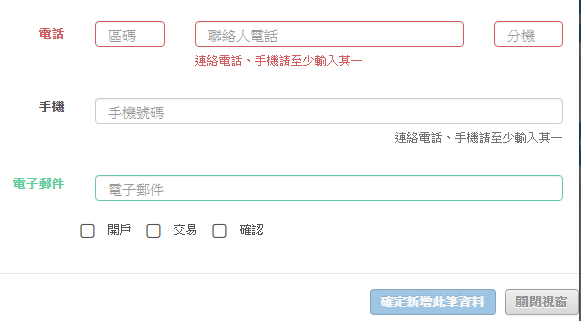
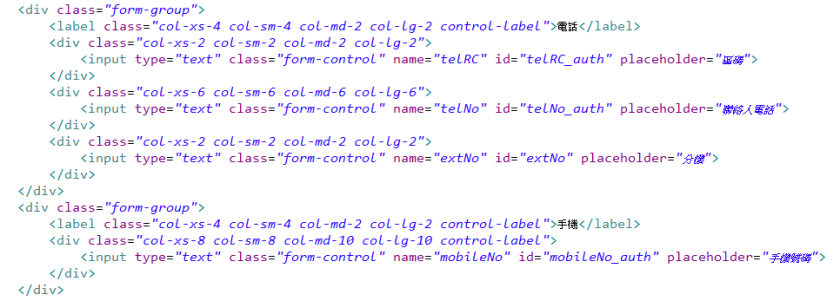
jquery bootstrapValidator如何驗證2個欄位只輸入其一即可

期望的畫面如下

1
畫面的html如下

1


1.jquery bootstrapValidator如何驗證2個欄位只輸入其一即可

    //被授權人
    $('#rowAddAuthForm').bootstrapValidator({
        excluded: [':disabled'],
        fields: {
            telNo: {
                group: '.col-md-3',
                validators: {
                    callback: {
                        callback: function(value, validator, $field) {
                            var field_name = $($field).attr('name');
                            if (value.length == 0 && $('#mobileNo_auth').val() == '') {
                                return {
                                    valid: false,
                                    message: '連絡電話、手機請至少輸入其一'
                                }
                            }
                            
                            if ($('#mobileNo_auth').val() == '') {
                                $('#rowAddAuthForm').bootstrapValidator('resetField', 'mobileNo' )
                                     .bootstrapValidator('updateStatus', 'mobileNo', 'VALID');
                                $('#rowAddAuthForm').bootstrapValidator('disableSubmitButtons', false);
                            }
                            
                            $('#rowAddCommForm').data('bootstrapValidator').resetForm(true);
                            if (value.length != 0) {
                                var pattern = /^[0-9]+$/;        
                                if (value.length  8) {
                                    return {
                                        valid: false,
                                        message: '電話 長度需為6~8'
                                    }
                                } else if (pattern.test(value) == false) {
                                    return {
                                        valid: false,
                                        message: '電話 請輸入數字'
                                    }
                                } else {
                                    return true;
                                }                                
                            } else {
                                $('#rowAddAuthForm').bootstrapValidator('resetField', field_name )
                                     .bootstrapValidator('updateStatus', field_name, 'NOT_VALIDATED');
                                $('#rowAddAuthForm').bootstrapValidator('disableSubmitButtons', false);
                                return true;
                            }
                        }
                    }
                }
            },
            mobileNo: {
                group: '.col-md-3',
                validators: {
                    callback: {
                        callback: function(value, validator, $field) {
                            var field_name = $($field).attr('name');
                            if (value.length == 0 && $('#telNo_auth').val() == '') {
                                return {
                                    valid: false,
                                    message: '連絡電話、手機請至少輸入其一'
                                }
                            }
                            
                            if ($('#telNo_auth').val() == '') {
                                $('#rowAddAuthForm').bootstrapValidator('resetField', 'telNo' )
                                        .bootstrapValidator('updateStatus', 'telNo', 'VALID');  
                                $('#rowAddAuthForm').bootstrapValidator('disableSubmitButtons', false);
                            }
                            
                            if (value.length != 0) {
                                var pattern = /^[0-9]+$/;        
                                if (value.length != 10) {
                                    return {
                                        valid: false,
                                        message: '手機號碼 長度需為10'
                                    }
                                } else if (pattern.test(value) == false) {
                                    return {
                                        valid: false,
                                        message: '手機號碼 請輸入數字'
                                    }
                                } else {
                                    return true;
                                }                                
                            } else {
                                $('#rowAddAuthForm').bootstrapValidator('resetField', field_name )
                                        .bootstrapValidator('updateStatus', field_name, 'NOT_VALIDATED');  
                                $('#rowAddAuthForm').bootstrapValidator('disableSubmitButtons', false);
                                return true;
                            }
                            
                        }
                    }
                }
            }
        }
    }).on('success.form.bv', function(e) {
        e.preventDefault();
        myfootable.auth_save(e);
        $("#addAuthModal").modal("hide");
    });    

2.bootstrapValidator如何判斷A欄位有值,B欄位也應有值 (反之,若A欄位無值,則B欄位無需有值)

    //被授權人
    $('#rowAddAuthForm').bootstrapValidator({
        excluded: [':disabled'],
        fields: {
            ...
            telRC: {
                validators: {
                    stringLength: {
                        min: 2,
                        max: 4,
                        message: '電話區碼 長度需為2~4'
                    },
                    regexp: {
                        regexp: /^[0-9]+$/,
                        message: '電話區碼 請輸入數字'
                    },
                    callback: {
                        callback: function(value, validator, $field) {
                            var field_name = $($field).attr('name');
                            if (value.length == 0 && $('#telNo_auth').val().length > 0) {
                                return {
                                    valid: false,
                                    message: '請輸入電話區碼'
                                }
                            } else {
                                return true;
                            }
                        }
                    }
                }                
            },
            ...
        }
    }).on('success.form.bv', function(e) {
        e.preventDefault();
        myfootable.auth_save(e);
        $("#addAuthModal").modal("hide");
    });    

註:bootstrapValidator的相關文件可參考 http://bv.doc.javake.cn/api/

發表於 程式分享

hibernate效能

文章:Tomcat啟動很久才完成經過2週終於找到原因並成功解決了~

原因是hibernate的hbm.xml設定檔在Tomcat啟動時需先load至Tomcat memory,但是透過hbm.xml檔load至memory需要I/O及memory,故會花費許久,因table共70多個,而且有些table的欄位很多,故造成Tomcat需啟動許久。
我試了以下3種hbm.xml的設定均無法降低啟動時間:

<property name="mappingDirectoryLocations">
    <list>
        <value>classpath:com/xxx/bean/</value>
    </list>
</property>

<property name="mappingLocations">
    <list>
        <value>classpath:com/xxx/bean/*.hbm.xml</value>
        ...
    </list>
</property>

<property name="mappingResources">
    <list>
        <value>com/xxx/bean/PRCmdCfg.hbm.xml</value>
        ...
    </list>
</property> 

後來,試著將設定檔內sql調整成直接寫在程式內而不用hbm.xml設定的方式,啟動效能並未改善:

<?xml version="1.0" encoding="UTF-8"?>
<!DOCTYPE hibernate-mapping PUBLIC    
  "-//Hibernate/Hibernate Mapping DTD 3.0//EN" 
  "http://hibernate.org/dtd/hibernate-mapping"> 
<hibernate-mapping> 
  <class name="com.xxx.bean.PRUnit" table="PRUnit"> 
   ...
  </class>
    <sql-query name="findPRUnitWithDetail">
        <return alias="t1" class="com.xxx.bean.PRUnit"/>
        <return alias="t2" class="com.xxx.bean.PRFuncCfg"/>
        <return alias="t3" class="com.xxx.bean.PRCmdCfg"/>
        <return alias="t4" class="com.xxx.bean.PRCode"/>
        <return alias="t5" class="com.xxx.bean.PRCode"/>
        <return alias="t7" class="com.xxx.bean.PRMenuCfg"/>
        <![CDATA[
        SELECT {t1.*}, {t2.*}, {t3.*}, {t4.*}, {t5.*}, {t7.*} 
          FROM PRUnit t1
          JOIN PRFuncCfg t2
            ON t1.platForm = t2.platForm
           AND t1.funcId   = t2.funcId
          JOIN PRCmdCfg t3
            ON t1.platForm = t3.platForm
           AND t1.funcId   = t3.funcId  
           AND t1.cmdId    = t3.cmdId      
          JOIN PRCode t4
            ON t4.CodeType = 'UNIT'
           AND t1.unitId   = t4.CodeId
          JOIN PRCode t5
            ON t5.CodeType = 'PLFM'
           AND t1.platForm = t5.CodeId  
          JOIN PRMenuCfg t7
            ON t2.platForm = t7.platForm
           AND t2.menuId   = t7.menuId                 
         WHERE t1.unitId 
               in (SELECT t8.unitId 
                     FROM PREmpUnit t8 
                    WHERE t8.empId=:EmpId AND t8.cmdEnable = 1)
           AND t1.cmdEnable = 1 
        ]]>
    </sql-query>
</hibernate-mapping>

最後,只好用最麻煩的方式,取消hbm.xml的設定,改為直接在class設定

...

@Entity
@Table(name = "PRUnit")
public class PRUnit implements Serializable {
    @EmbeddedId
    @AttributeOverrides({
        @AttributeOverride(
            name = "platForm",
            column = @Column(name = "platForm")),
        @AttributeOverride(
            name = "unitId",
            column = @Column(name = "unitId")),
        @AttributeOverride(
            name = "funcId",
            column = @Column(name = "funcId")),
        @AttributeOverride(
            name = "cmdId",
            column = @Column(name = "cmdId"))
    })
    private PRUnitPK PRUnitPK;
    @Column(name = "cmdEnable")
    private int cmdEnable;
    @Column(name = "cfgVal")
    private String cfgVal;
    @Column(name = "optVal")
    private String optVal;
    @Column(name = "modifyTime")
    private Date modifyTime;
    @Column(name = "modifyEmp")
    private String modifyEmp;

    public PRUnit() {
        
    }
    
    public PRUnit(PRUnitPK PK) {
        this.PRUnitPK = PK;
    }

    public PRUnitPK getPRUnitPK() {
        return PRUnitPK;
    }

    public void setPRUnitPK(PRUnitPK pRUnitPK) {
        PRUnitPK = pRUnitPK;
    }

    public int getCmdEnable() {
        return cmdEnable;
    }

    public void setCmdEnable(int cmdEnable) {
        this.cmdEnable = cmdEnable;
    }

    public String getCfgVal() {
        return cfgVal;
    }

    public void setCfgVal(String cfgVal) {
        this.cfgVal = cfgVal;
    }

    public String getOptVal() {
        return optVal;
    }

    public void setOptVal(String optVal) {
        this.optVal = optVal;
    }

    public Date getModifyTime() {
        return modifyTime;
    }

    public void setModifyTime(Date modifyTime) {
        this.modifyTime = modifyTime;
    }

    public String getModifyEmp() {
        return modifyEmp;
    }

    public void setModifyEmp(String modifyEmp) {
        this.modifyEmp = modifyEmp;
    }

    @Override
    public String toString() {
        return "PRUnit [PRUnitPK=" + PRUnitPK + ", cmdEnable=" + cmdEnable + ", cfgVal=" + cfgVal + ", optVal=" + optVal
                + ", modifyTime=" + modifyTime + ", modifyEmp=" + modifyEmp + "]";
    }   
}

而applicationContext.xml調整為下面任一方式,Tomcat均能在1、2分鐘內啟動完畢

<property name="packagesToScan">
    <list>
        <value>com.xxx.bean</value>
    </list>
</property>
<property name="mappingDirectoryLocations">
    <list>
        <value>classpath:com/xxx/bean/</value>
    </list>
</property>

究其原因,猜測是hibernate在load hbm.xml需要花費較多的I/O及memory,故造成啟動花費超久,
剛開始使用此架構因table尚少沒感覺,等系統愈來愈大就開始造成困擾了~還好調整後能修正此問題,
要不然整個架構大改,就不是花幾天能完成的~

發表於 程式分享

Tomcat啟動很久才完成

1.在"catalina.sh"增加此行效果不大

JAVA_OPTS="$JAVA_OPTS -Xms1024m -Xmx1024m"

2.研究spring設定檔 “applicationContext.xml" 讀取hibernate hbm.xml,

因為似乎是加上新的db schema在設定了hbm.xml後才變慢的~~

原本設定是遞迴讀此目錄下的所有檔案,但此目錄下有其它的class (非hbm.xml)

<property name="mappingDirectoryLocations">
    <list>
        <value>classpath:com/test/bean/</value>
    </list>
</property>

改成如下

<property name="mappingLocations">
    <list>
        <value>classpath:com/test/bean/*.hbm.xml</value>
        <value>classpath:com/test/bean/derivadm/*.hbm.xml</value>
        <value>classpath:com/test/bean/futadm/*.hbm.xml</value>
        <value>classpath:com/test/bean/job/*.hbm.xml</value>
        <value>classpath:com/test/bean/warrantadm/*.hbm.xml</value>
    </list>
 </property>

收到不錯的效果,啟動時間由原本的10多分鐘,縮短至4分鐘,
但仍需有努力的空間…
hibernate設定hbm.xml還有一個方式就是逐檔設定,當初就是嫌麻煩才用路徑,
也這之後要改回這個方式再試試吧~

<property name="mappingResources">
    <list>
        <value>au/com/test/bean/Address.hbm.xml</value>
        <value>au/com/test/bean/Country.hbm.xml</value>
        <!-- repeat for their mapping files -->
    </list>
</property>

3.後來再調整applicationContext.xml
於bean加上lazy-init=true

<bean id="IFServiceDao" class="com.xxx.xxx.transactional.IFServiceImpl" 
        scope="singleton" lazy-init="true">
        <property name="sessionFactory" ref="sessionFactory" />
    </bean>

但效果不大
故於beans加上default-lazy-init=true

<beans xmlns="http://www.springframework.org/schema/beans"
        ....
        default-lazy-init="true">

看似有點效果,但tomcat啟動還是要5分鐘。

最後再將hibernate.hbm2ddl.auto整個移除Tomcat竟然1分鐘內就啟動好了,
雖然執行application的程式仍需要3~4分鐘,
但至少其它application可以早點執行了~

會想要調整這個參數是因每次都在log看到此行以後Tomcat才算啟動完成。
INFO [http-bio-80-exec-4] SchemaUpdate [execute] [101] HHH000228: Running hbm2ddl schema update

<bean id="sessionFactory" class="org.springframework.orm.hibernate5.LocalSessionFactoryBean">
        ...
        <property name="hibernateProperties">
            <props>
                ...
                <!-- 
                <prop key="hibernate.hbm2ddl.auto">update</prop>
                 -->
                ...         
            </props>
        </property>
    </bean>
發表於 程式分享

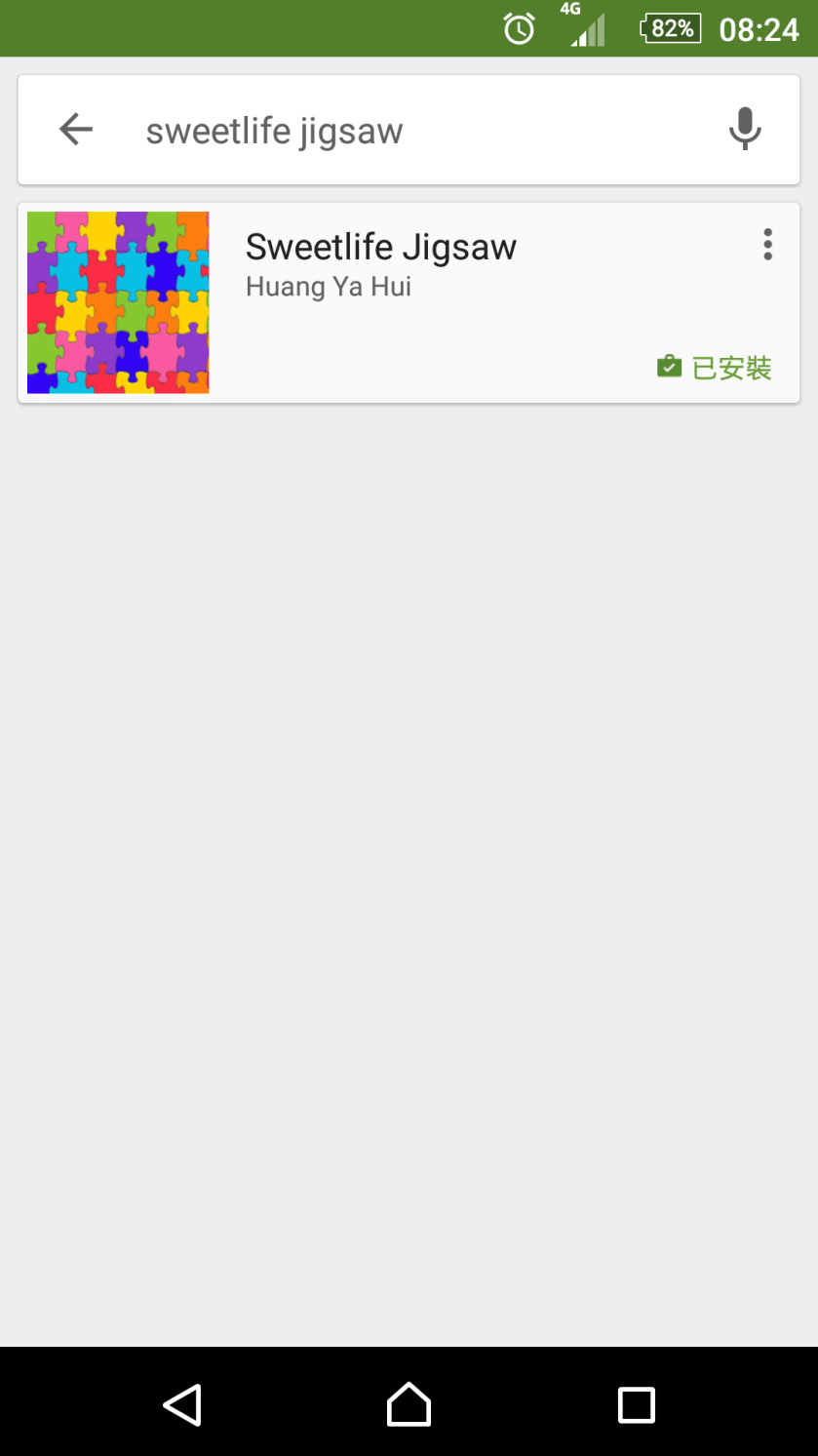
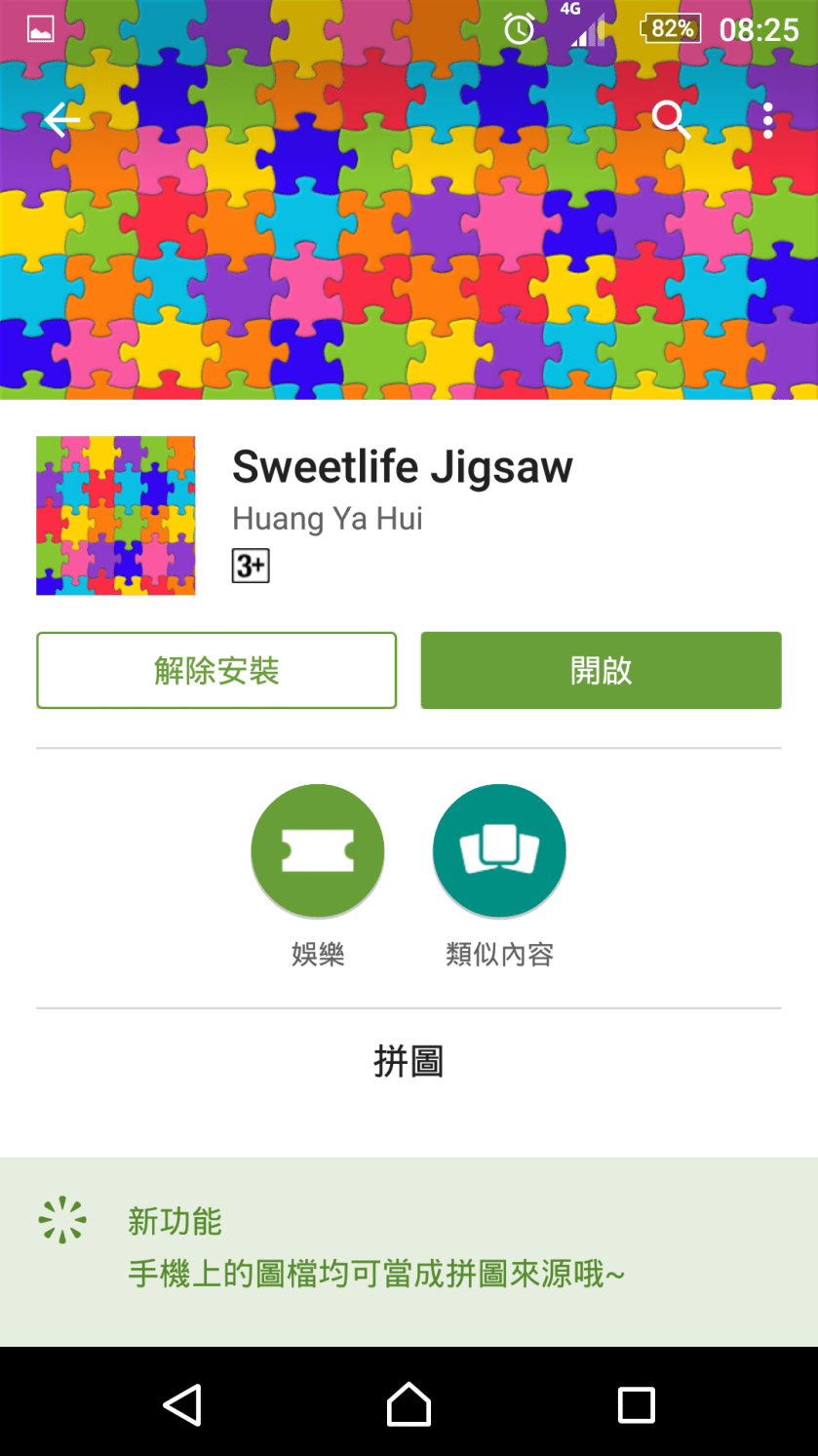
android app : Sweetlife Jigsaw(可以選取相簿或直接照相後當做拼圖來源)

前年為了給兒子寫個玩具app,

就寫了這個app,

稱玩具的原因是因為它沒有一般遊戲軟體計分的功能,

但可以選取手機或平版內的相簿圖片 或 真接照相後 就可以當成拼圖來源.

google play下載網址:https://play.google.com/store/apps/details?id=com.sweetlife.mypuzzle

youtube操作影片:https://www.youtube.com/watch?v=Pc5jSJjxkNg

Screenshot_2016-04-25-08-24-51

Screenshot_2016-04-25-08-25-06Screenshot_2016-04-24-22-25-34

Screenshot_2016-04-24-22-26-49

有人曾在GAE建立監控程式,藉此監控公司的網站等服務是否可正常由外部網路使用,

是個不錯的應用,大家可以參考看看~

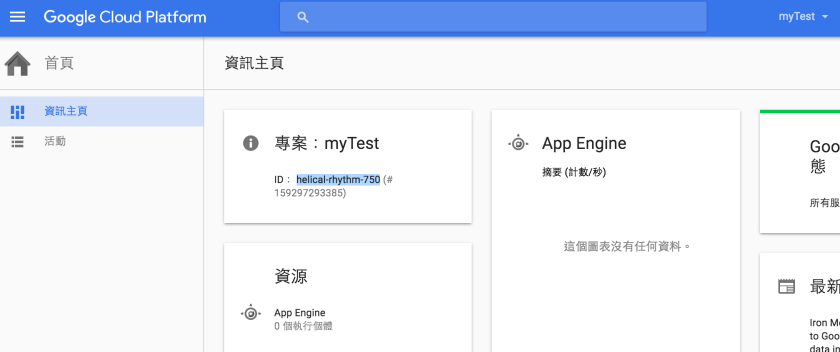
1.先至google console建立專案,請記錄專案ID

https://console.cloud.google.com/

螢幕快照 2016-04-21 上午1.27.05.png

2.可參考下載App engine資訊主頁相關說明

下載eclipse,並加裝google app engine SDK或使用plugin,

我使用的plugin路徑∶https://dl.google.com/eclipse/plugin/core/4.3

螢幕快照 2016-04-21 上午1.29.09.png

螢幕快照 2016-04-21 上午1.32.02.png

螢幕快照 2016-04-21 上午1.32.41.png

3.開發好程式,測試方式

1) 選 Run As “Web Application"

螢幕快照 2016-04-21 上午1.38.52.png

螢幕快照 2016-04-21 上午1.39.55.png

2) 於瀏覽器中 輸入http://localhost:8888 可驗證結果

螢幕快照 2016-04-21 上午1.41.08.png

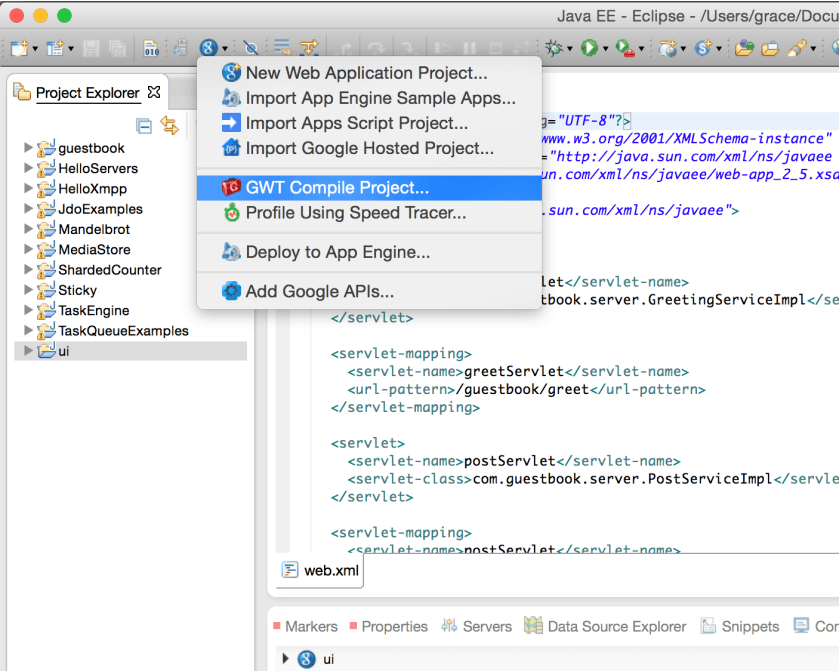
4.compile project

螢幕快照 2016-04-21 上午1.43.14.png

5.deploy project到google cloud的app engine

螢幕快照 2016-04-21 上午1.43.44.png

請點選App Engine project settings設定完成後,再執行"Deploy" Button

螢幕快照 2016-04-21 上午1.46.30.png

Application ID請填入步驟1取得的專案ID,按 “OK" Button回到上一頁

螢幕快照 2016-04-21 上午1.45.55.png

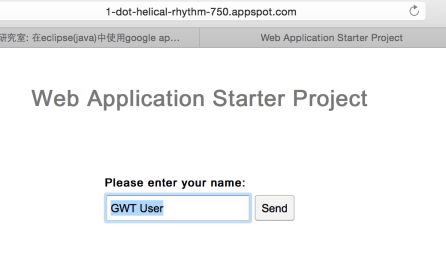
6.輸入https://[專案ID].appspot.com/

Ex.https://helical-rhythm-750.appspot.com/

即可顯示上傳專案的畫面

螢幕快照 2016-04-21 上午1.53.39.png

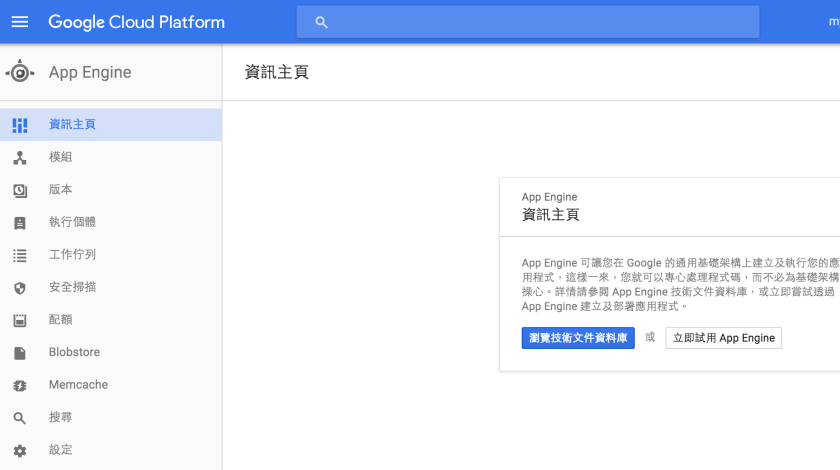
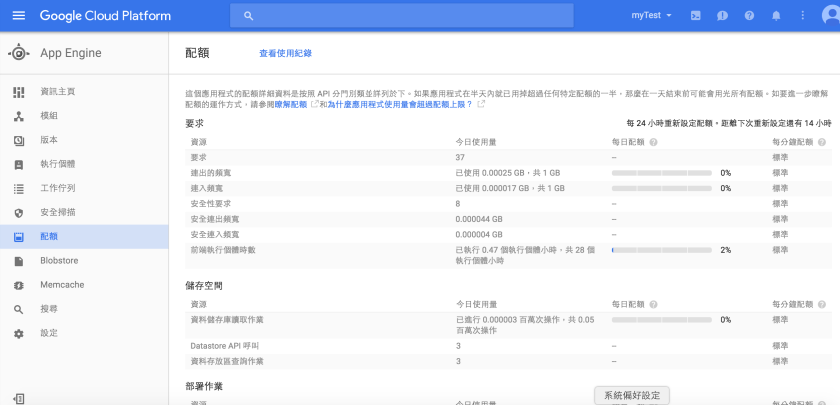
7.可至google cloud platform查詢app engine的使用狀況

螢幕快照 2016-04-21 上午1.30.05.png

螢幕快照 2016-04-21 上午1.55.33.png


如何建立google app engine(Java)程式,並上版到google雲端

想要在自已的網站或blog設定只搜尋特定網址的搜尋結果,可試看看這個~

1.登入google自訂搜尋網頁

https://cse.google.com/cse/all

2.新增搜尋引擎

1) 輸入要搜尋的網站∶可多個

2) 選擇語言及搜尋引擎的名稱

螢幕快照 2016-04-21 上午12.31.15.png

3.新增後可選擇編輯搜尋引擎,可調整相關設定

螢幕快照 2016-04-21 上午12.35.41.png

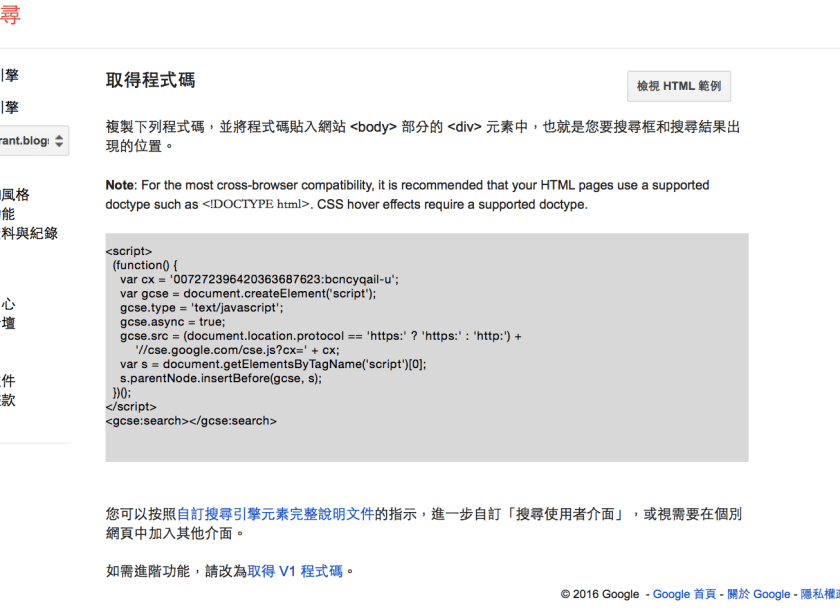
4.於"外觀和風格" => “版面配置" => 點選"儲存並取得程式碼"

螢幕快照 2016-04-21 上午12.48.09.png

螢幕快照 2016-04-21 上午12.50.30.png

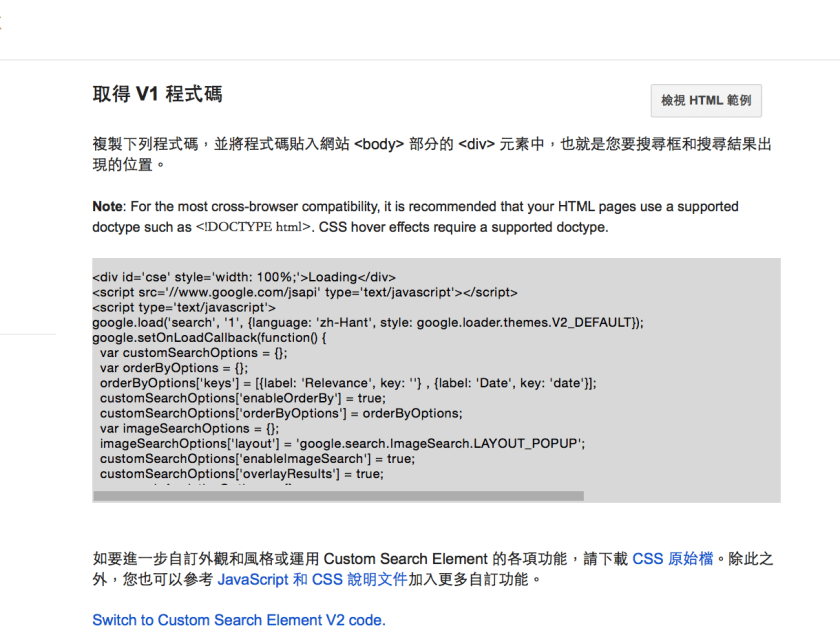
點"取得V1程式碼"可取得進階功能

螢幕快照 2016-04-21 上午12.51.48.png

5.登入google blogger => 版面配置 => 新增小工具 => 選"HTML/JavaScript"將步驟4取得的指令貼上

螢幕快照 2016-04-21 上午12.55.01.png

6.於blogger頁面輸入搜尋關鍵字,就會跳出只有我們限定網址內的查詢結果了。

螢幕快照 2016-04-21 上午12.58.14.png

螢幕快照 2016-04-21 上午12.59.38.png

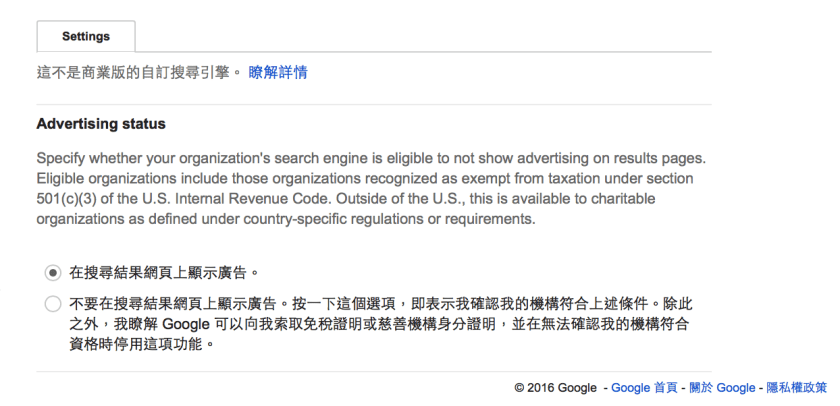
7.若不想有廣告資訊則可在企業項次,選則付費。

螢幕快照 2016-04-21 上午1.03.43.png

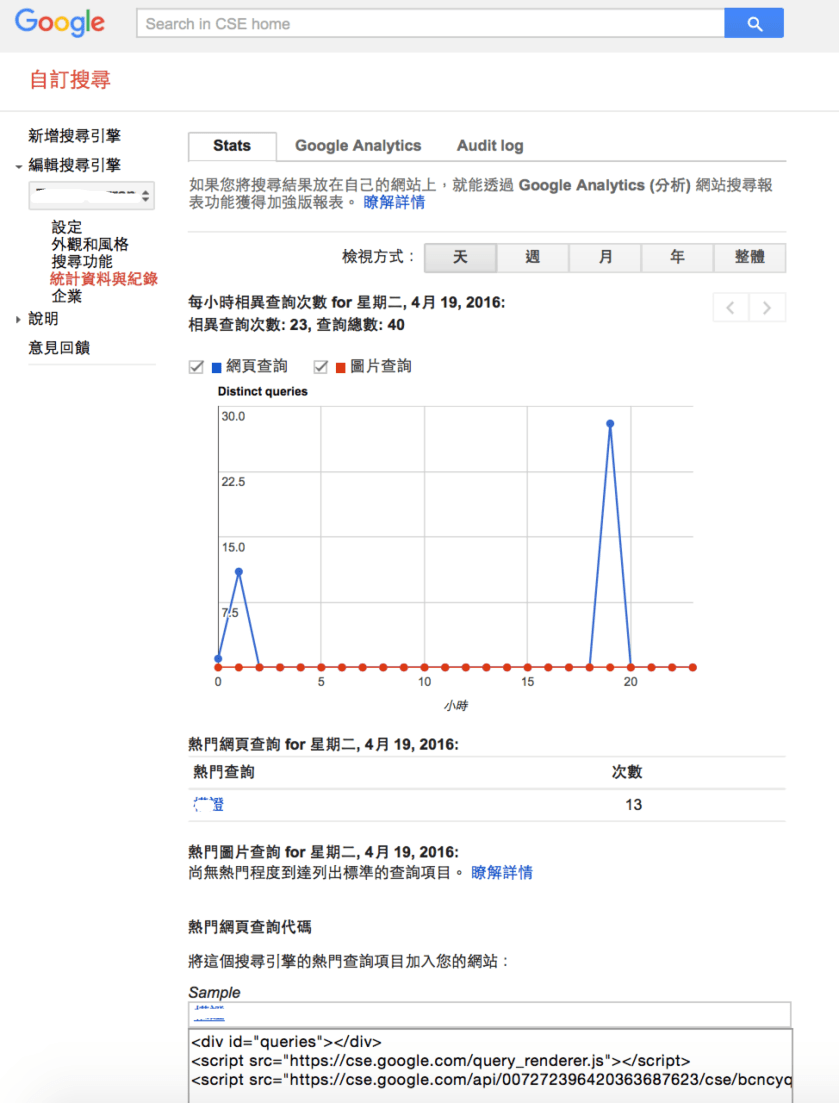
8.統計資訊

螢幕快照 2016-04-21 上午1.15.20.png

如何自訂google搜尋引擎並加在google-blogger

1.登入google API管理員

https://console.developers.google.com

1) 啟用google blog API

1.GIF

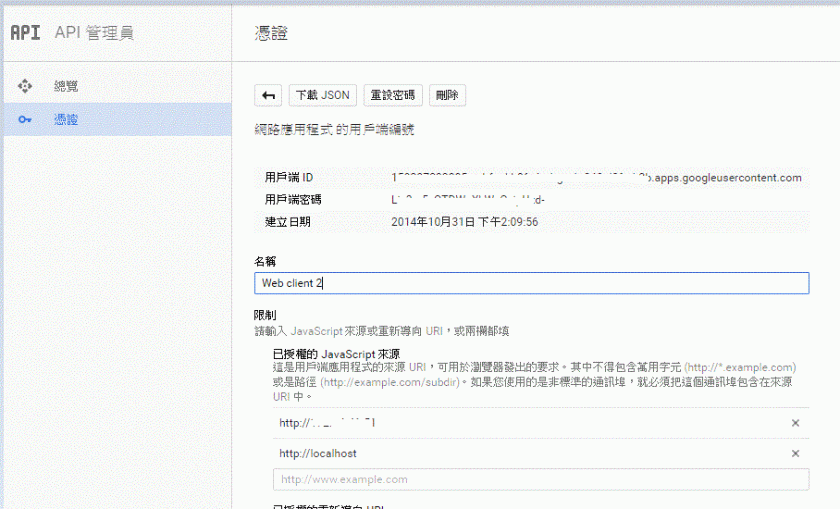
2) 申請OAuth 2.0用戶端ID 憑證

請記得設定授權的JavaScript來源 (因為是透過JavaScript),故請設定執行的server ip / domain (PS.localhost是我為了測試用,正式需拿掉)

請記錄用戶端ID,此即後續開發會用到的client ID

1

3) 申請API金鑰 憑證

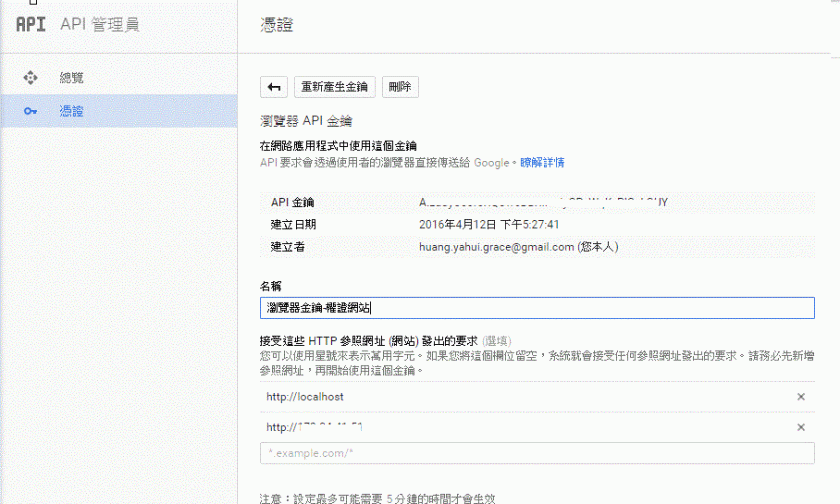
請記得設定接受這些HTTP參照網址(網站)發出的要求 (因為是透過JavaScript),故請設定執行的server ip / domain (PS.localhost是我為了測試用,正式需拿掉)

請記錄API金鑰,此即後續開發會用到的API Key

1.GIF

2.請於初始時引用google api client javascript

 https://apis.google.com/js/client.js?onload=init

3.檢核授權狀況
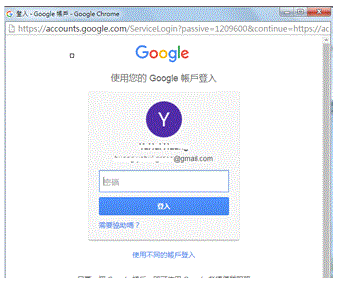
1) 授權button : Ex.id用authorize-button,已授權則會隱藏,未授權則需點選並確認授權,方可上傳文章,授權頁面如下

1.GIF
2) 上傳文章button : Ex.id用addPostButton

上傳文章後會顯示如下訊息框

1.GIF

3) javascript如下

function init() {
    gapi.client.setApiKey(googleBlog.apiKey);
    window.setTimeout(googleBlog.checkAuth,1);
     
    gapi.client.load('blogger', 'v3', function() {      
        $("#addPostButton").click(googleBlog.addPost);      
    });
}       

var googleBlog = {
    blogId : '{請用您的Blog ID}',
    clientId : '{請用剛申請的Client ID}',
    apiKey : '{請用剛申請的API Key}',
    scopes : 'https://www.googleapis.com/auth/blogger',
    
    checkAuth : function () {
        gapi.auth.authorize({client_id: googleBlog.clientId, scope: googleBlog.scopes, immediate: true}, 
                googleBlog.handleAuthResult);
    },
    handleAuthResult : function (authResult) {
        var authorizeButton = document.getElementById('authorize-button');
        if (authResult && !authResult.error) {
            authorizeButton.style.visibility = 'hidden';
            //makeApiCall();
        } else {
            authorizeButton.style.visibility = '';
            authorizeButton.onclick = googleBlog.handleAuthClick;
        }
    },
    handleAuthClick : function (event) {
         // 步驟3: 通過授權以存取資料
         gapi.auth.authorize({client_id: googleBlog.clientId, scope: googleBlog.scopes, 
             immediate: false}, googleBlog.handleAuthResult);
        return false;
    },
    addPost : function(event) {
        event.preventDefault();
        
        var blogIdVal = googleBlog.blogId;              
        var blogTitle = $('input[name=blogTitle]').val();
        
        var blogContent = tinyMCE.get('blog_content').getContent({format : 'raw'});
        blogContent = blogContent.replace(/(?:\r\n|\r|\n)/g, '');
        blogContent = parseHTML(blogContent).getElementsByTagName('body')[0].innerHTML;             
        var save_data = JSON.stringify(blogContent); //以JSON字串存入
            
        var formData = {'blogId': blogIdVal, fetchBody : true, fetchImages : true,
            isDraft : true, 'title': blogTitle,'content':save_data};
        var request = gapi.client.blogger.posts.insert(formData);
        request.execute(function(response) {
            console.log(response);
            if (response.id) {
                $('#modal-body-msg').text("文章上傳至google blog完成(草稿),文章編號:" + response.id);
                $('#messageModal').modal('show');    
            } else {
                $('#modal-body-msg').text("文章上傳至google blog失敗");
                $('#messageModal').modal('show');
            }
        });  
    }
}

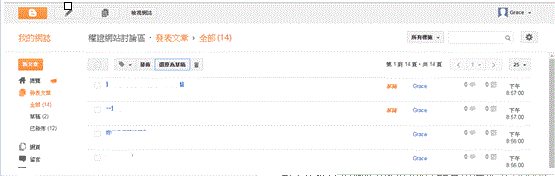
上傳文章,我將其預設值用成"草稿",須按"發佈"Button後才會對外發佈

1.GIF

將文章透過google api上傳至google blog

1.請先依此篇文章設定google blooger的rss至feedburner
https://myyhhuang.wordpress.com/2016/03/14/使用google-feedburner/
Ex.http://xxx.blogspot.com/  則設定為  http://xxx.blogspot.com/feeds/posts/default

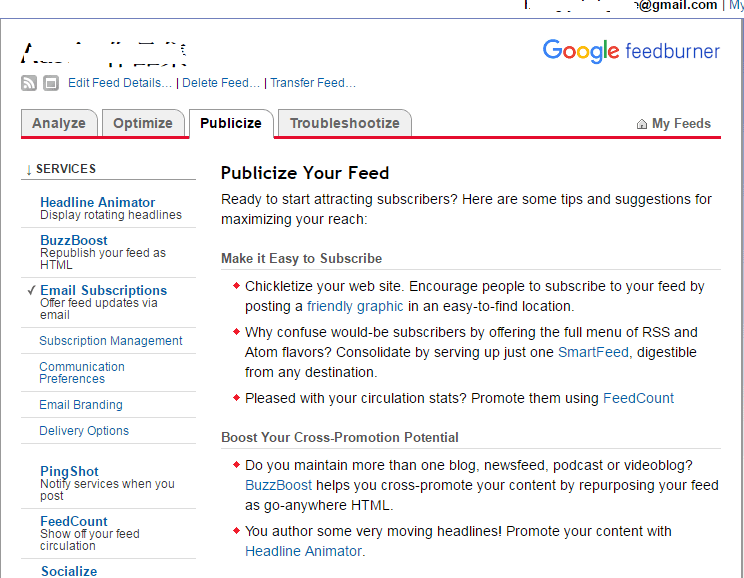
2.在Feedburner => Publicize => Email Subscriptions 選取啟用鈕後會出現如下畫面1.png

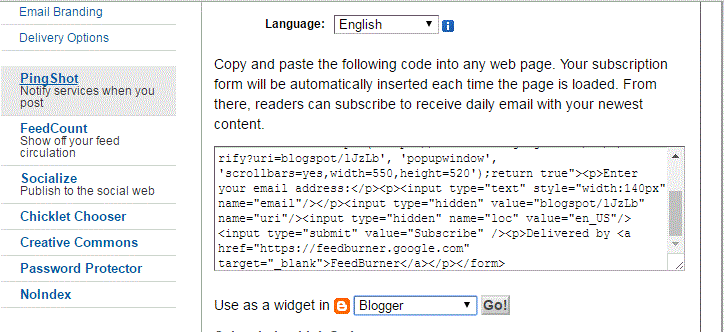
3.往下,看到如下畫面,選取Blogger,按"Go!"鈕

1.GIF

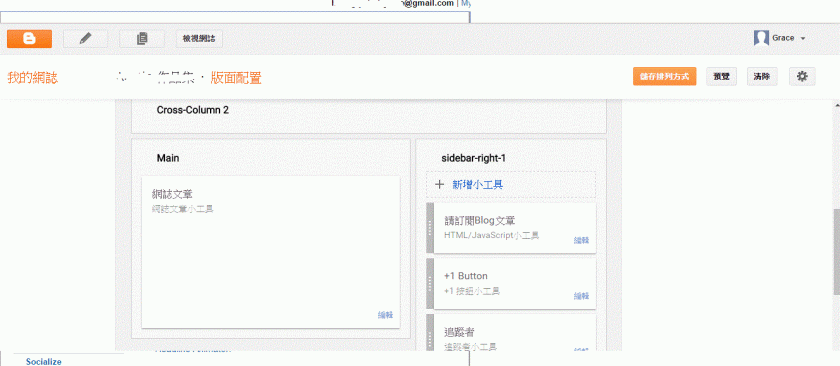
4.至google blogger設定畫面

1

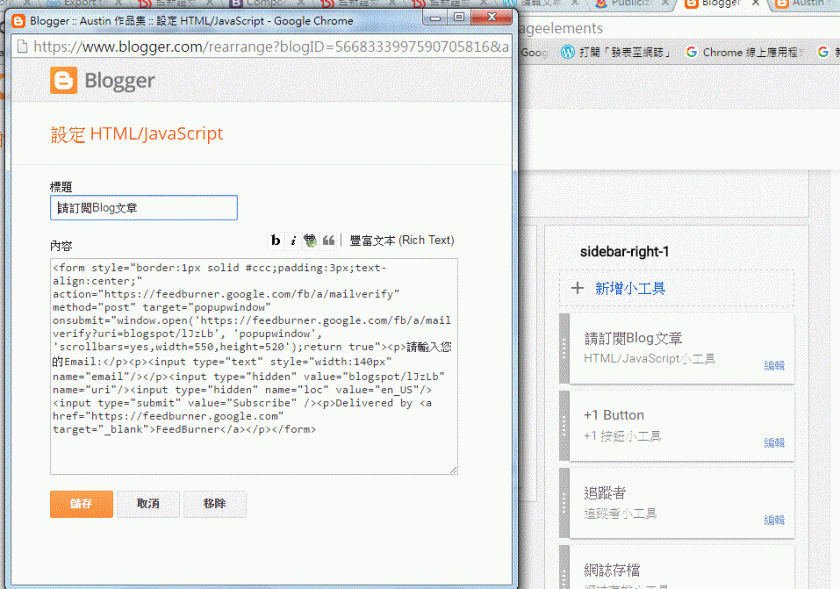
5.點選HTML/JavaScript小工具,出現如下畫面,標題請自行輸入,內容則請將步驟3上面的方框整塊複製過來

1.GIF

6.google blogger 儲存排列方式後,至blogger 頁面則可看到email訂閱畫面

1.GIF

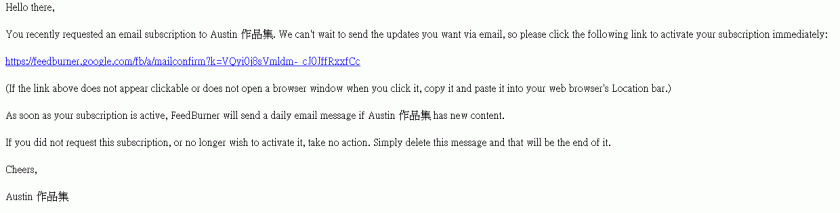
訂閱後,會收到如下的確認信,點選後可啟用

1

7.訂閱後,可在Feedburner => Publicize => Email Subscriptions => Subscription Management下方查詢到訂閱者的資料

1.GIF

google blogger使用feedburner搜集客戶email

今天查一個登入問題:若前一次有按正常程序登出,停留在登出畫面,重啟tomcat後,
再重新登入,有查到struts action程式有登入成功,且導至登入成功的第一頁,
但是用struts的tag #session判斷是否有session,其session竟然是null,
後來只好改寫成如下再觀察看看:

   System.out.println("jsp session id : " + session.getId());
    UserItem userItem = (UserItem) session.getAttribute("UserItem");
    if (userItem == null)
        response.sendRedirect("logout.action");
    else //雖然這樣的寫法很怪,但若沒這樣寫,前一次tomcat重啟後(或server session失效),重登後用struts2的tag取#session.UserItem就會取不到,但寫一次就OK
        session.setAttribute("UserItem",userItem);

struts2 session判斷問題