1.下載library : commons-digester-rss.jar (http://www.java2s.com/Code/Jar/c/Downloadcommonsdigesterrssjar.htm)

2.import
import org.apache.commons.digester.rss.Channel;
import org.apache.commons.digester.rss.Item;

3.範例

SimpleDateFormat formatter= new SimpleDateFormat("dd MMM yyyy HH:mm:ss Z"); 
String today = formatter.format(new Date()); 
Channel newChannel = new Channel(); 
newChannel.setCopyright("© 2010 XXX Co., Ltd. All Rights Reserved.");
newChannel.setDescription("Grace's Blog"); newChannel.setLink("http://www.xxx.com/"); 
newChannel.setLanguage("zh-TW"); 
newChannel.setPubDate(today); 
for (tmpItem......) { 
      Item item = new Item(); 
      item.setTitle(tmpItem.getTitle()); 
      item.setLink(request.getScheme() + "://" + request.getServerName() +    request.getContextPath() + "/blog" + tmpItem.getBlogId() + ".action");
      item.setDescription(tmpItem.getSlogan()); 
      String pusDate = formatter.format(tmpItem.getModifyTime());
      newChannel.setPubDate(pusDate); newChannel.addItem(item); 
}

使用java產生rss xml檔案

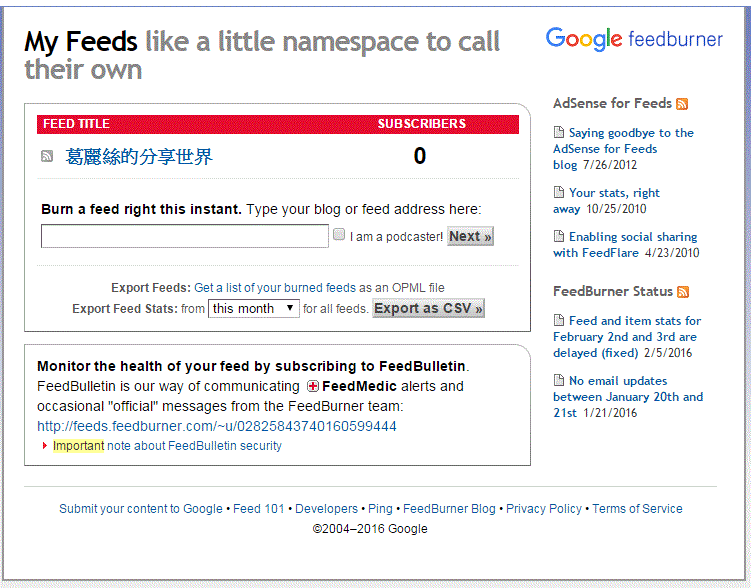
1.連結至https://feedburner.google.com/fb/a/myfeeds用google帳戶登入

2.輸入rss連結,如https://myyhhuang.wordpress.com/feed/

1-2

3.click Next Button,可以得到一個連結,再加到網站上

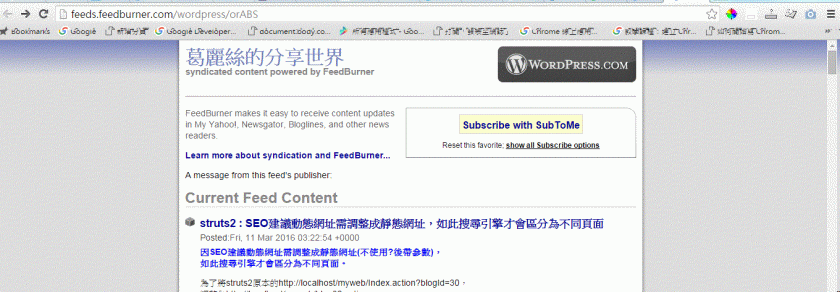
4.步驟3的連結放到網站上,點選後會出現如下畫面,可讓網站使用者加入各RSS reader

2

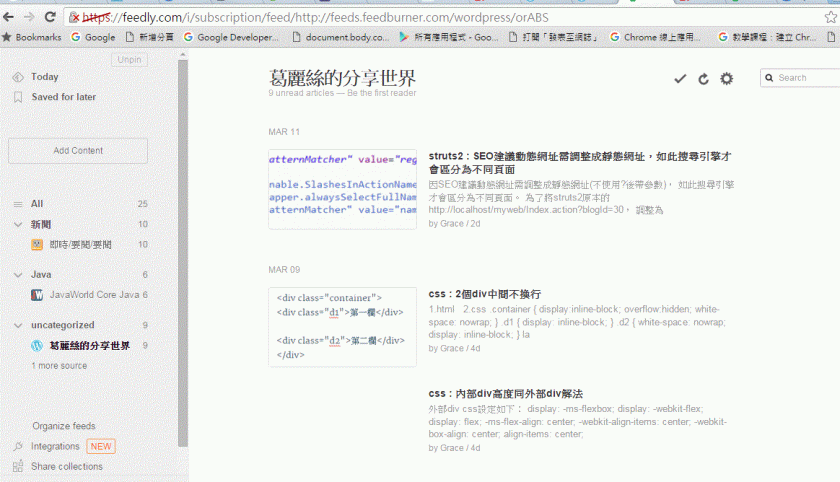
Ex.http://feedly.com/其連結為feeds.feedburner.com

1

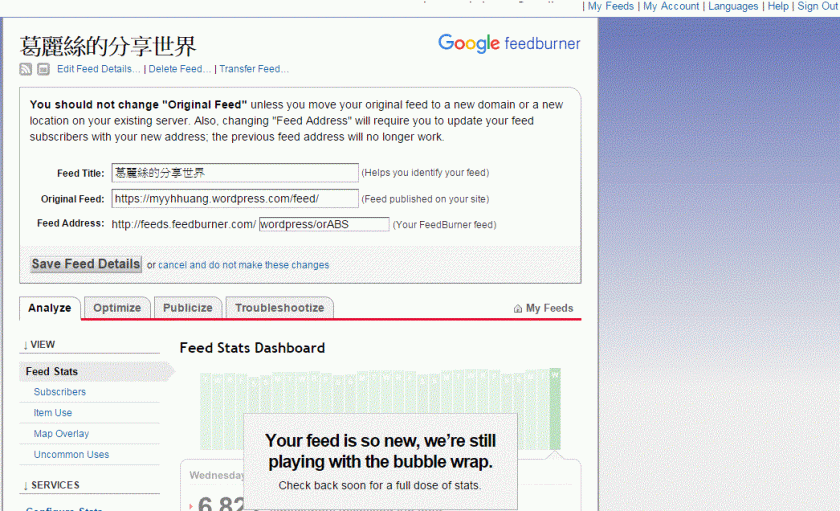
未來若網站改網址,其它使用者不需變動您的rss位置,只需至feedburner調整至新的網址即可

(My Feeds => Edit Feed Details => Original Feed => Save Feed Details)

1.GIF

使用Google FeedBurner

因SEO建議動態網址需調整成靜態網址(不使用?後帶參數),
如此搜尋引擎才會區分為不同頁面。

為了將struts2原本的http://localhost/myweb/Index.action?blogId=30,
調整為http://localhost/myweb/blog30.action
PS.其中30為blog的字串,會變動

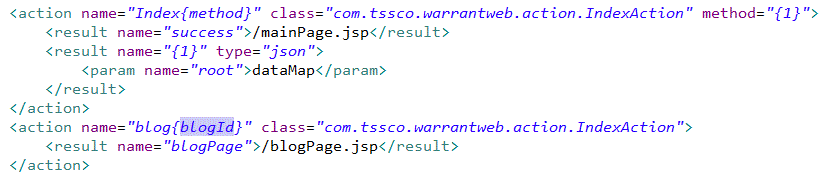
於struts.xml加入以下設定於<struts>…</struts>內
2

並於原本的action name為Index_*下再新增action name為blog{blogId}的設定,
預期以下3連結均能使用:
1.http://localhost/myweb/blog30.action
2.http://localhost/myweb/Index.action
3.http://localhost/myweb/Index_getJson.action
13

但設定後http://localhost/myweb/Index_getJson.action卻無法mapping至正確的action,
仔細研究constant的struts.patternMatcher之設定regex、namedVariable均可以設定為靜態網址,
而action name : Index_對於mapping來說可能非變數,
看到網路有將*調整成{method},
經設定後變成http://localhost/myweb/Index.action無法使用;

再調整action name : Index{method},
則可正確使用http://localhost/myweb/Index.action,
而http://localhost/myweb/Index_getJson.action就調整為http://localhost/myweb/IndexgetJson.action即可。
設定如下:
4

struts2 : SEO建議動態網址需調整成靜態網址,如此搜尋引擎才會區分為不同頁面

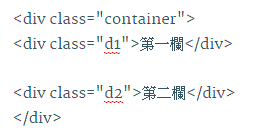
1.html

1.GIF


2.css

.container {
display:inline-block;
overflow:hidden;
white-space: nowrap;
}

.d1 {
display: inline-block;
}

.d2 {
white-space: nowrap;
display: inline-block;
}

la

css : 2個div中間不換行

外部div css設定如下:

display: -ms-flexbox;
display: -webkit-flex;
display: flex;
-ms-flex-align: center;
-webkit-align-items: center;
-webkit-box-align: center;
align-items: center;

css : 內部div高度同外部div解法

發表於 程式分享

用7zip備份指定檔案清單

1.新增檔案backup.cmd
set backuppath=%cd%
set dd=%date:~8,2%
set dm=%date:~5,2%
set dy=%date:~0,4%
set mydate=%dy%%dm%%dd%

D:
cd D:\GWork\Source\workspace\warrantadm\WebContent
“C:\Program Files\7-Zip\7z.exe" a -ttar %backuppath%\warrantadm_%mydate%.tar @%backuppath%\listfile_warrantadm.txt

2.新增檔案清單 “listfile_warrantadm.txt"(放在backup.cmd同個目錄)
內容可能如下,為目錄D:\GWork\Source\workspace\warrantadm\WebContent下要備份的檔案
WEB-INF\applicationContext.xml
WEB-INF\web.xml
WEB-INF\classes\log4j2.xml
WEB-INF\classes\struts.properties
WEB-INF\classes\struts.xml
WEB-INF\classes\sysConfig.xml
mainPage.jsp
ajax\calendar.html

3.執行backup.cmd
會產生備份檔與.cmd檔同目錄,檔名依步驟1所取的名稱,如warrantadm_[yyyymmdd].tar

發表於 程式分享

cordova/phonegap執行android apk檔安裝出現"the connection to the server was unsuccessful. (file ///android_asset/www/index.html)"無法執行之處理方式

1.將www/index.html改為main.html

2.新增新的index.html,內容如下

<!doctype html> <html> <head> <title>tittle</title> window.location=’./main.html’; <body> </body> </html>

調整原因:因為原index.html內容過大造成啟動時異常,故用小的網頁內容取代再連結至原網頁即可修正此問題。

發表於 程式分享

在google tag manager(GTM)設定google analystics(GA) 的事件(event)

登入GTM (https://tagmanager.google.com/)

1.設定trigger

2

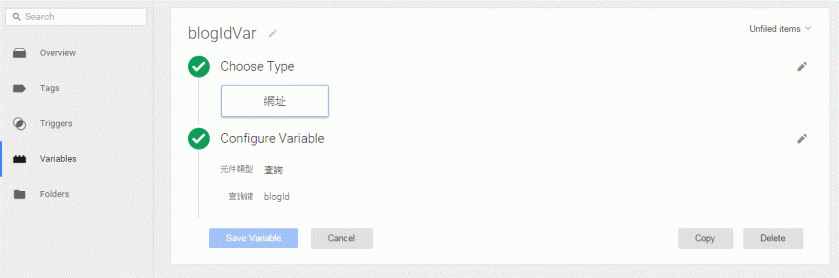
2.設定variable

1

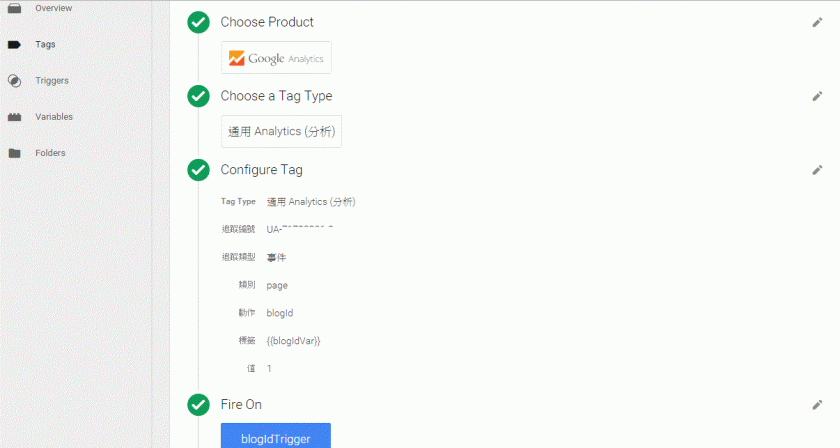
3.設定Tag

3

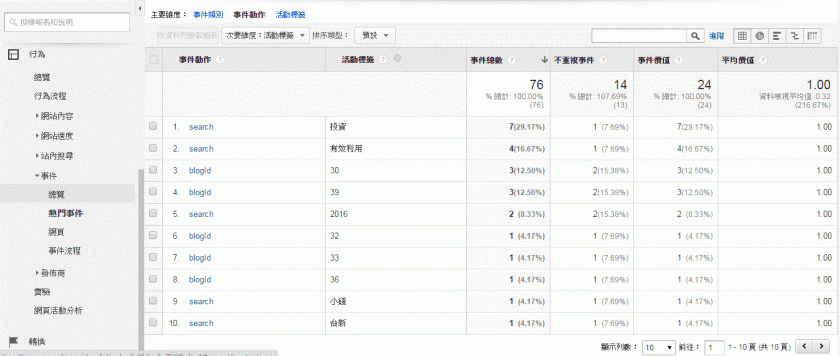
4.GA報表

1.GIF


發表於 程式分享

建立cordova app時:cordova build android出現錯誤訊息peer not authenticated

cordova build android出現如下錯誤訊息

1.GIF

在專案的以下兩個檔案內
/platforms/build.gradle
/platforms/CordovaLib/build.gradle
將此行
mavenCentral()
全部替換成

maven {
    url "http://repo1.maven.org/maven2"
}

因https執行有問題,故改為http執行

發表於 程式分享

如何至google申請google api權限

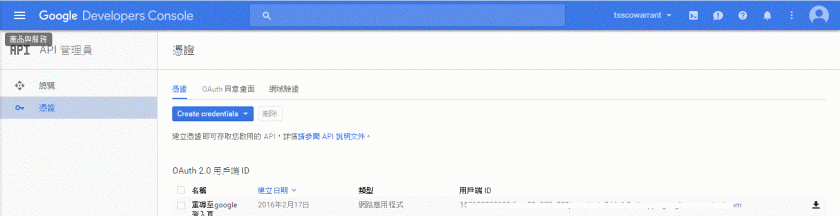
1.登入google developer console
https://console.developers.google.com1.GIF

2.點選API管理員
2

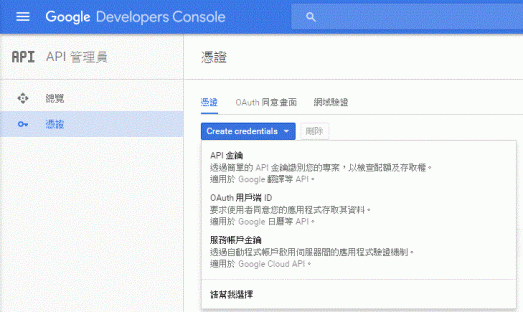
3.申請憑證:點選"Create credentials" Button
2

選擇OAuth用戶端ID
2

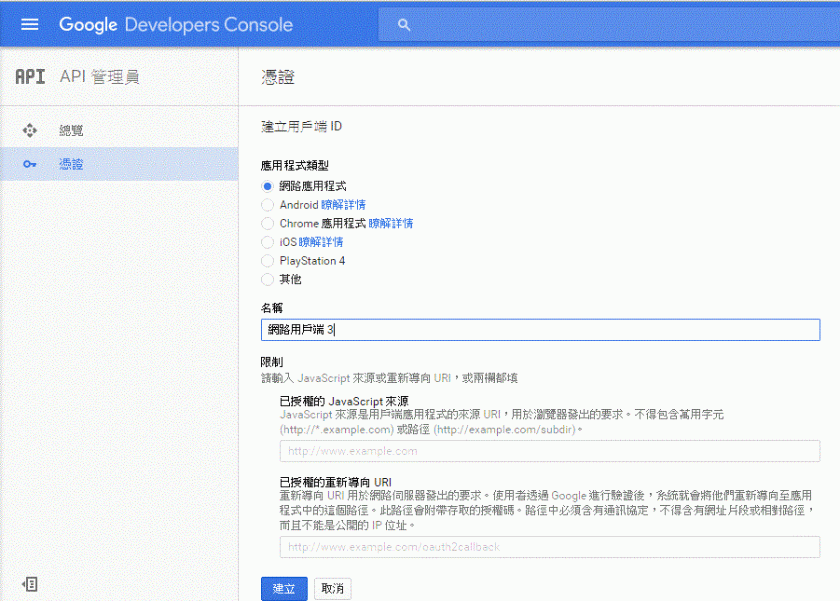
應用程式類型:請選"網路應用程式"
名稱:請輸入用戶可辨認名稱
已授權的重新導向URI:請輸入授權後欲連至那個網頁做後續資料存取
2

按"建立"Button後即可至第一頁下載憑證,憑證內容為json格式,如下
{“web":{“client_id":"…","project_id":"…","auth_uri":"https://accounts.google.com/o/oauth2/auth","token_uri":"https://accounts.google.com/o/oauth2/token","auth_provider_x509_cert_url":"https://www.googleapis.com/oauth2/v1/certs","client_secret":"…","redirect_uris":[“http://localhost/warrantweb/Auth_google.action"]}}