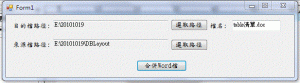
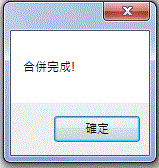
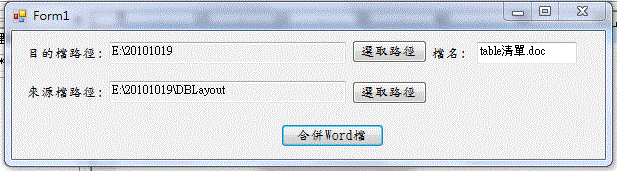
一、畫面如下:
二、程式碼
using System;
using System.Collections.Generic;
using System.ComponentModel;
using System.Data;
using System.Drawing;
using System.Text;
using System.Windows.Forms;
//以下為新加入
using System.Reflection;
using System.IO;
using Word = Microsoft.Office.Interop.Word; //VS2005沒有此行,VS2008要用此行
//加入參考==>COM==>Microsoft Office 12.0 Object Library,自動產生參考Word
namespace WordMerge
{
public partial class Form1 : Form
{
public Form1()
{
InitializeComponent();
}
private void MergeWord_Click(object sender, EventArgs e)
{
if (targetPath.Text.Trim().Length <= 0 || sourcePath.Text.Trim().Length <= 0 ||
targetFileName.Text.Trim().Length <= 0)
{
MessageBox.Show(“資料不完整!");
return;
}
Object missing = Missing.Value;
object oOutputDoc = targetPath.Text.Trim() + @"\" + targetFileName.Text.Trim();
Word.Application wordApp = new Word.Application();
Word._Document word = wordApp.Documents.Add(ref missing, ref missing, ref missing, ref missing);
object oPageBreak = Word.WdBreakType.wdPageBreak;
string[] files = Directory.GetFiles(sourcePath.Text.Trim());
for (int iIdx = 0; iIdx < files.Length; iIdx++)
{
wordApp.Selection.InsertFile(files[iIdx], ref missing, ref missing, ref missing, ref missing);
wordApp.Selection.InsertBreak(ref oPageBreak);
wordApp.ActiveDocument.SaveAs(ref oOutputDoc,
ref missing, ref missing, ref missing,
ref missing, ref missing, ref missing,
ref missing, ref missing, ref missing,
ref missing, ref missing, ref missing,
ref missing, ref missing, ref missing);
}
wordApp.Quit(ref missing, ref missing, ref missing);
MessageBox.Show(“合併完成!");
}
private void targetPathButton_Click(object sender, EventArgs e)
{
FolderBrowserDialog path = new FolderBrowserDialog();
path.ShowDialog();
this.targetPath.Text = path.SelectedPath;
}
private void sourcePathButton_Click(object sender, EventArgs e)
{
FolderBrowserDialog path = new FolderBrowserDialog();
path.ShowDialog();
this.sourcePath.Text = path.SelectedPath;
}
}
}




 葛麗絲的分享世界